The app introduces a small set of doctypes. Three are "main" documents an operator works with directly; three are child tables that only ever live inside a parent document.
Activity Type
Define primary tasks for casual workers, such as "Washing" "Loading" or "Un-Loading".
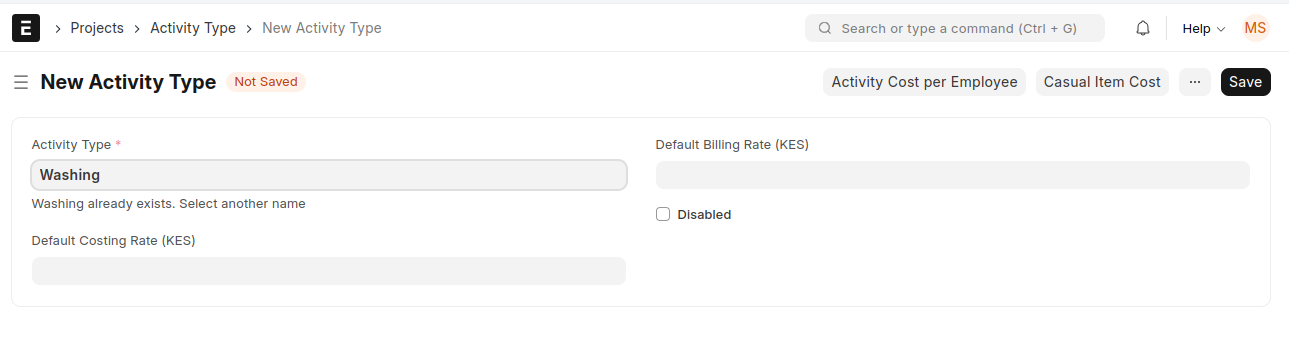 Activity Type Doctype
Casual Activity Item (setup / master data)
This is where pricing lives. Each record answers one question: "How much is one unit of this activity, for this item, worth?"
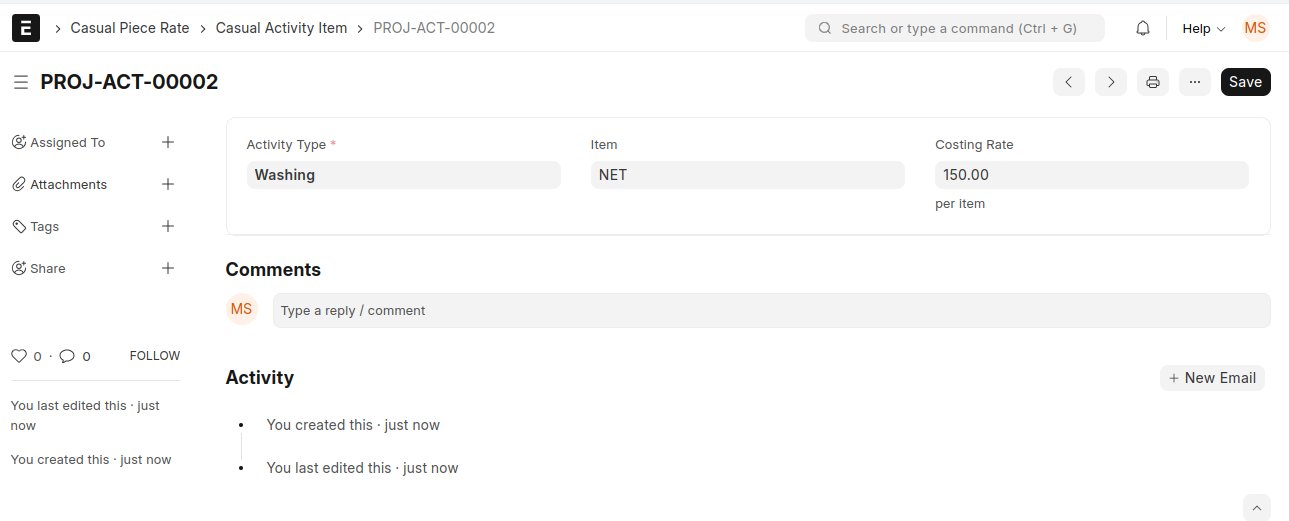 Casual Activity Item
| Field | Type | Notes |
|---|---|---|
| Activity Type | Link → Activity Type | Required. The category of work. |
| Item | Link → Item | The specific item the work is performed on. |
| Costing Rate | Currency | The rate that actually matters — the pay per single unit/item. |
| Billing Rate | Currency | Hidden, currently unused by the payout logic. Reserved for a future "what we charge" vs "what we pay" distinction. |
| Title | Data | Hidden, system-managed naming helper. |
- Naming series:
PROJ-ACT-.##### - Document type: Setup (master data, not transactional).
- Permission: Projects User role.
Worth knowing: the payout engine reads Costing Rate only. The Billing Rate field exists in the schema but does not feed into any calculation today, so leaving it at zero has no effect on pay.
Casual Payroll Payout (the daily document)
This is the workhorse of the daily cycle, one document per shift + date. It is submittable and has two child tables doing two different jobs.
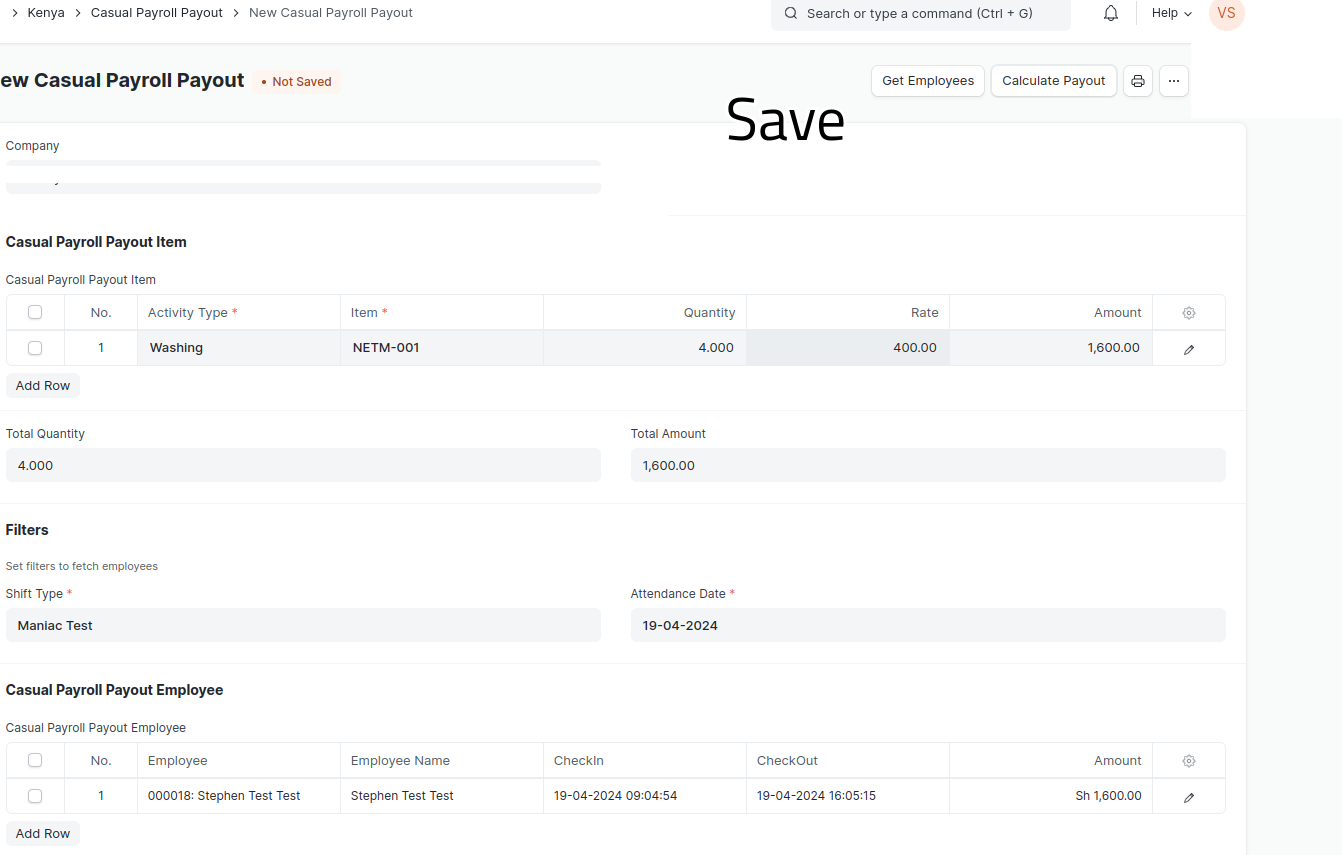 Casual Payroll Payout
| Field | Type | Notes |
|---|---|---|
| Company | Link → Company | Scopes the attendance lookup. |
| Shift Type | Link → Shift Type | Required. The casual shift for that day. |
| Attendance Date | Date | Required. The day being paid for. |
| Casual Payroll Payout Item (table) | Table | The work done that day. |
| Total Quantity | Float | Auto-summed from the item table. |
| Total Amount | Currency | Auto-summed from the item table — the day's total pay pool. |
| Casual Payroll Payout Employee (table) | Table | The workers present that day. |
| Salary Structure / Casual Salary Component | Link | Read-only references carried for context. |
| Payment Processed | Check | The lock flag. Editable even after submit. |
- Naming series:
CPR-{DD}-{MM}-{####}(date-stamped). - Permission: HR Manager role.
- Validation: both Attendance Date and Shift Type are mandatory before the document will save.
Casual Salary Structure Assignment Tool (the period roll-up document)
One document per pay period. It gathers every submitted daily payout in a date range, totals each worker's earnings, and on submission generates the actual Salary Structure Assignments. Also submittable.
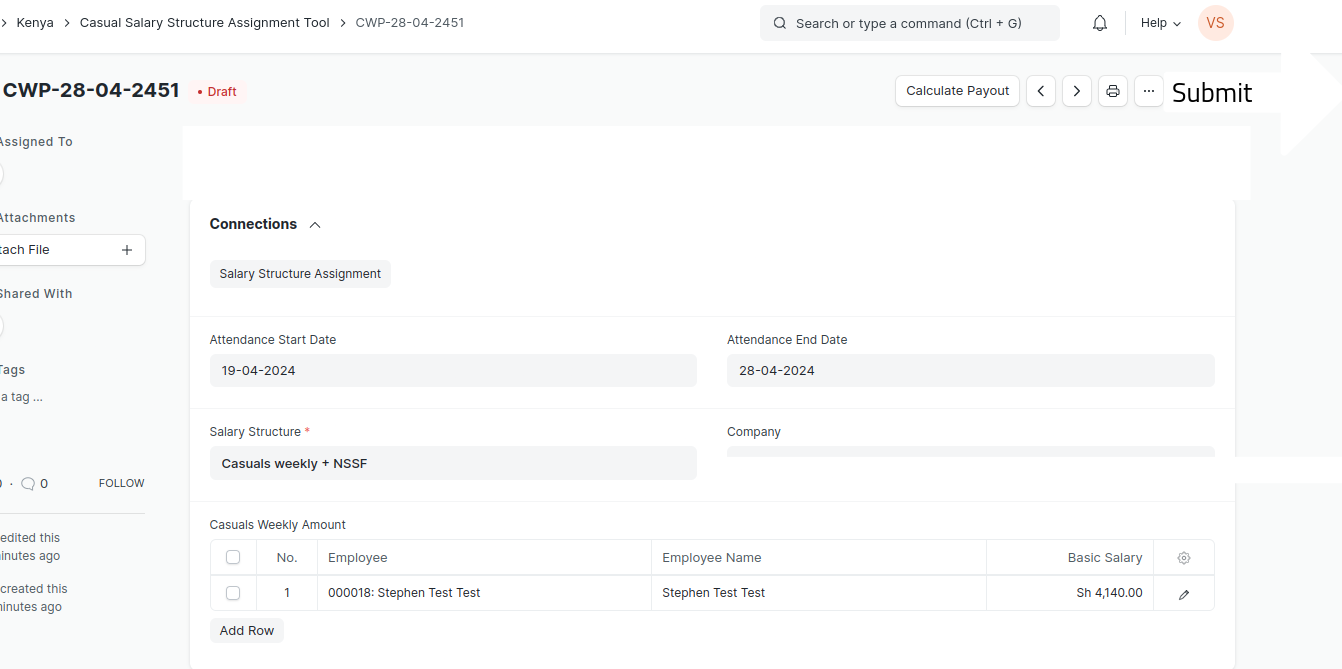 Casual Salary Structure Assignment Tool
| Field | Type | Notes |
|---|---|---|
| Attendance Start Date | Date | Start of the pay period. |
| Attendance End Date | Date | End of the pay period. |
| Salary Structure | Link → Salary Structure | Required. The structure assigned to every worker in the run. |
| Company | Link → Company | Scope. |
| Casuals Weekly Amount (table) | Table → Casual Payment Record | Required. The per-worker totals for the period. |
- Naming series:
CWP-{DD}-{MM}-{####}. - Permission: System Manager role.
- Linked to: Salary Structure Assignment (via a custom field), so you can trace any assignment back to the run that created it.
Casual Payroll Payout Item (child table)
Rows describing the work done. This is where the day's money is earned.
| Field | Type | Notes |
|---|---|---|
| Activity Type | Link → Activity Type | Required. |
| Item | Link → Item | Required. |
| Quantity | Float | How many units were done. Defaults to 1 when an item is chosen. |
| Rate | Currency | Read-only. Auto-fetched from the matching Casual Activity Item. |
| Amount | Currency | Rate × Quantity. |
Casual Payroll Payout Employee (child table)
Rows describing who shares the day's pool.
| Field | Type | Notes |
|---|---|---|
| Employee / Employee Name | Link → Employee / Data | The worker. |
| Shift Type | Link → Shift Type | The shift they were on. |
| Attendance | Link → Attendance | The source attendance record. |
| Check In / Check Out | Datetime | Pulled from Employee Checkin for the record. |
| Amount | Currency | The worker's share of the day's total. |
Casual Payment Record (child table)
Rows inside the period roll-up — one consolidated line per worker for the whole period.
| Field | Type | Notes |
|---|---|---|
| Employee / Employee Name | Link / Data | The worker. |
| Amount ("Basic Salary") | Currency | Total earned across the period — becomes the assignment base. |