Stock Handling & Transactions
Stock Management & Compliance
Overview
This guide explains how stock is managed in the system for all transactions affecting inventory. It covers the creation of stock entries, how the system tracks them, and how compliance with Zambia Revenue Authority (ZRA) is maintained via Digitax.
Purpose
- Keep inventory records accurate
- Ensure all stock movements are compliant with ZRA requirements
- Track stock for sales, purchases, and adjustments
- Automatically submit stock data for compliance
How Stock is Handled
1. Transactions Affecting Stock
Stock is updated whenever you perform the following actions:
- Sales Invoice – Reduces stock for items sold
- Purchase Receipt / Stock Entry (Inbound) – Increases stock for received items
- Credit Note / Return – Increases stock for returned items
- Debit Note / Adjustment – Decreases stock if correcting previous transactions
- Manual Stock Entry / Reconciliation – Adjusts stock quantities
2. Stock Submission Process
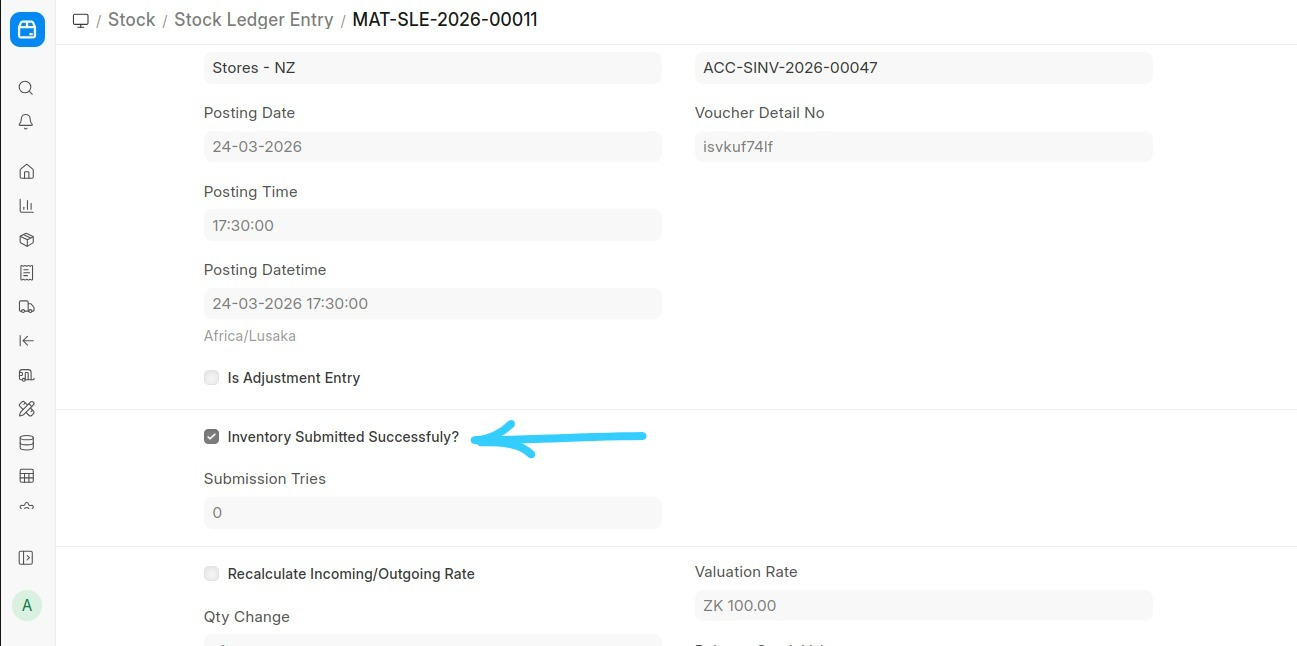
- Every stock movement is recorded in the system ledger
- The system does not submit stock instantly
- A scheduler runs every 4 minutes to automatically submit all stock entries that have been recorded but not yet submitted
- After submission, entries are sent to Digitax and ZRA for compliance
3. Key Points for End Users
- You do not need to manually submit stock
- Ensure all items are registered and properly classified
- Verify quantities before completing transactions
- The scheduler ensures compliance automatically, but monitor for errors in the system notifications
Last updated 2 days ago
Was this helpful?