




Customers and requests
Contracts
A Contract records the lease of one or more properties to a customer. It is created from a Utility Service Request, so it starts with the request’s customer, properties and dates.
Create a contract
- Open a submitted Utility Service Request.
- Choose Create > Contract. If your settings require a deposit first, the button appears once the request has a submitted Sales Order.
- Check the properties and dates on the contract.
- Save and submit.
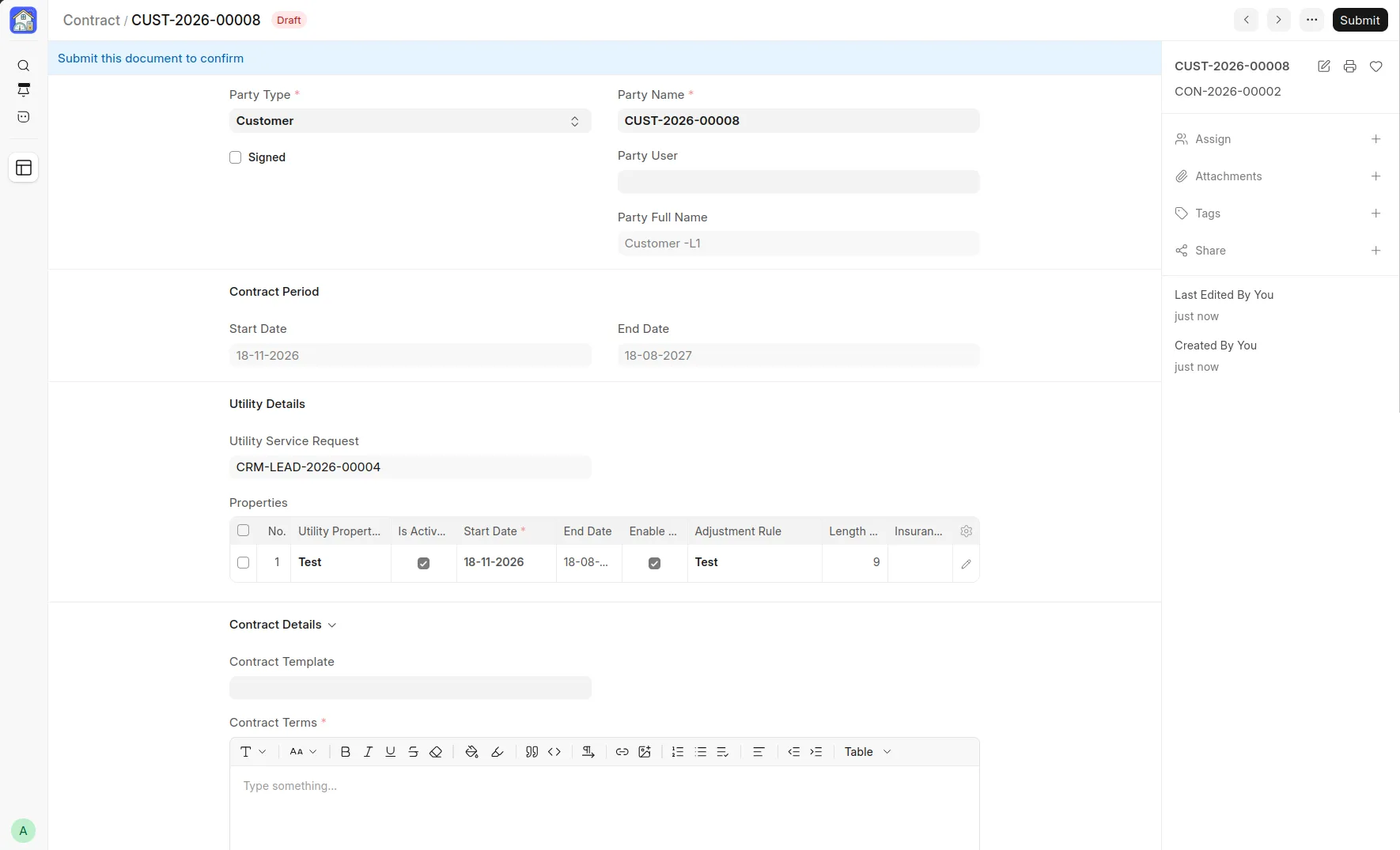
What the contract holds
| Field | What it is for |
|---|---|
| Utility Service Request | The request the contract was created from. |
| Properties | The leased properties, each with its own start and end date, rate rules and insurance. |
| Start Date, End Date | Taken from the request. They cannot be edited on the contract. |
| Signed | Marks that the tenant has signed. Some settings require it before invoicing. |
| Released On | The last day a property is held. Set it on a property row to release the property early. |
Rules
- A property must be Available before the contract can be submitted.
- The properties and dates come from the request and are locked on the contract. To change them, change the request, or cancel the contract and create a new request.
- Submitting the contract sets each property to Reserved or Occupied. Cancelling it sets the property back to Available.
- A property is freed automatically when its lease ends, or after its Released On date.
Release a property early
To release a property before the lease ends, untick Is Active on its row and set Released On to the last day the property was held.
- The property is billed up to and including the Released On date.
- A row with no Released On date owns no days once it is released.
- The Released On date must fall within the lease dates of that property.
- When every property on the contract has been released, the contract becomes Inactive.
Item Prices that were already created are not cut. Set the Released On date to control what is billed.
Signed contracts
Two settings in Utility Billing Settings control invoicing:
- Require Contract Before Sales Invoice Creation: an invoice for a request needs a contract.
- Require Signed Contract: the contract must also be marked as signed.
Tenancy end notice
The app sends a notice before a tenancy ends. Set how many months ahead in Months in Advance to Notify of Tenancy Ending in Utility Billing Settings (see Tenancy notices).
If something does not work
See Troubleshooting.
Last updated 1 week ago
Was this helpful?