




Sales orders and invoices
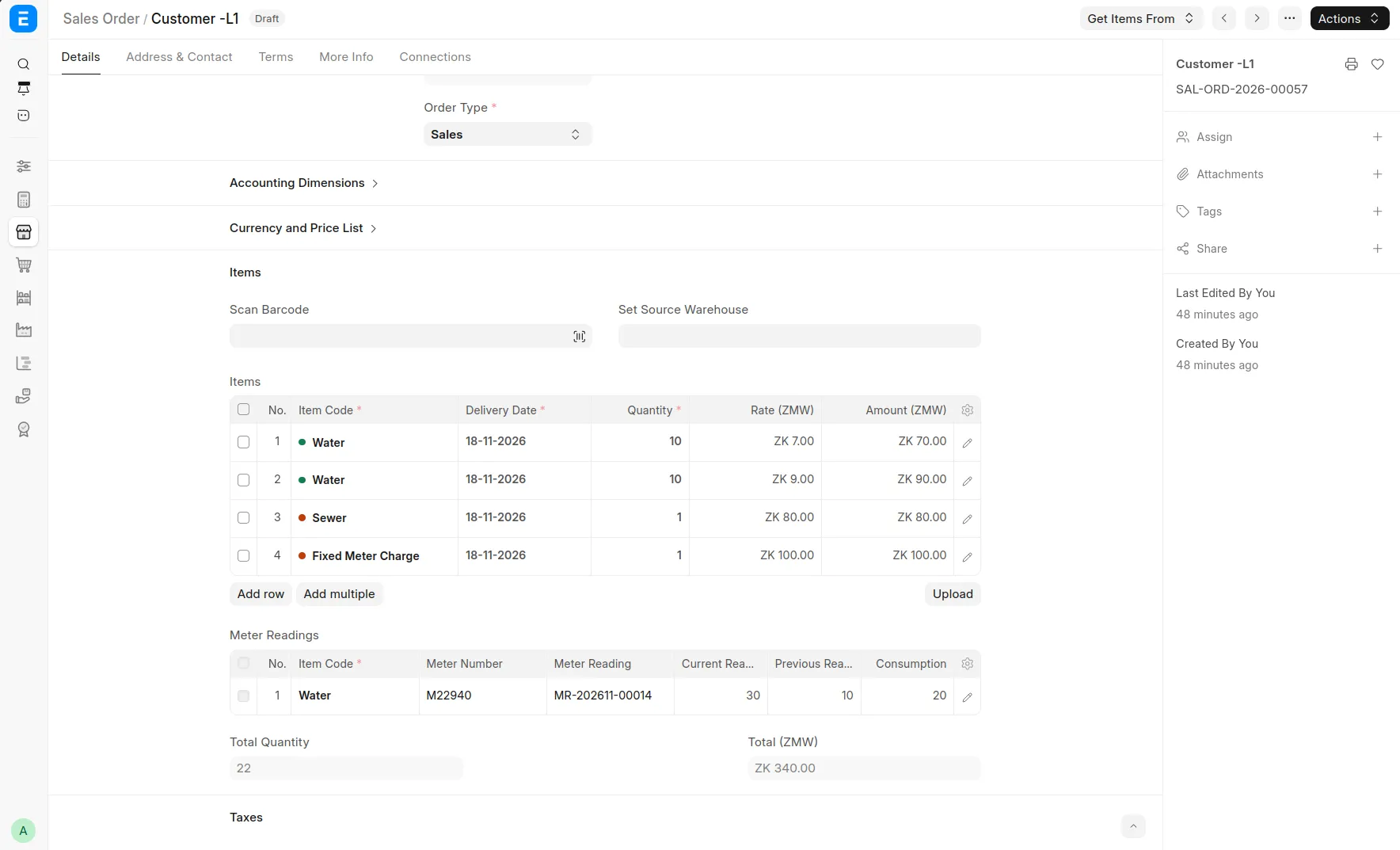
The app adds a few fields and checks to the standard Sales Order and Sales Invoice, so a bill can be traced back to its request, its meter reading and its tariff block.
Where Sales Orders come from
| Source | What is created |
|---|---|
| A Meter Reading is submitted | One Sales Order with a line per charge, using the reading’s price list. |
| Create > Sales Order / Deposit on a request | A Sales Order with the request’s items and rates. Its price list is chosen as described under Utility service requests. |
| An Auto Repeat | A copy of the original order, on its schedule (see Recurring rent). |
Whether these orders are created as Draft or Submitted depends on Sales Order Creation State in Utility Billing Settings.
Fields the app adds
| Where | Field | What it holds |
|---|---|---|
| Sales Order and Sales Invoice | Utility Service Request | The request the document belongs to. |
| Sales Order and Sales Invoice | Meter Readings table | One row per meter: meter number, reading, previous reading, current reading and consumption. |
| Item rows | Meter Reading and Block | The reading a line was billed from, and the tariff block it falls in. |
| Item rows on invoices | Posting Date and the deferred accounts | Used when deferred posting is on. |
Create invoices from several orders
You can bill many orders at once.
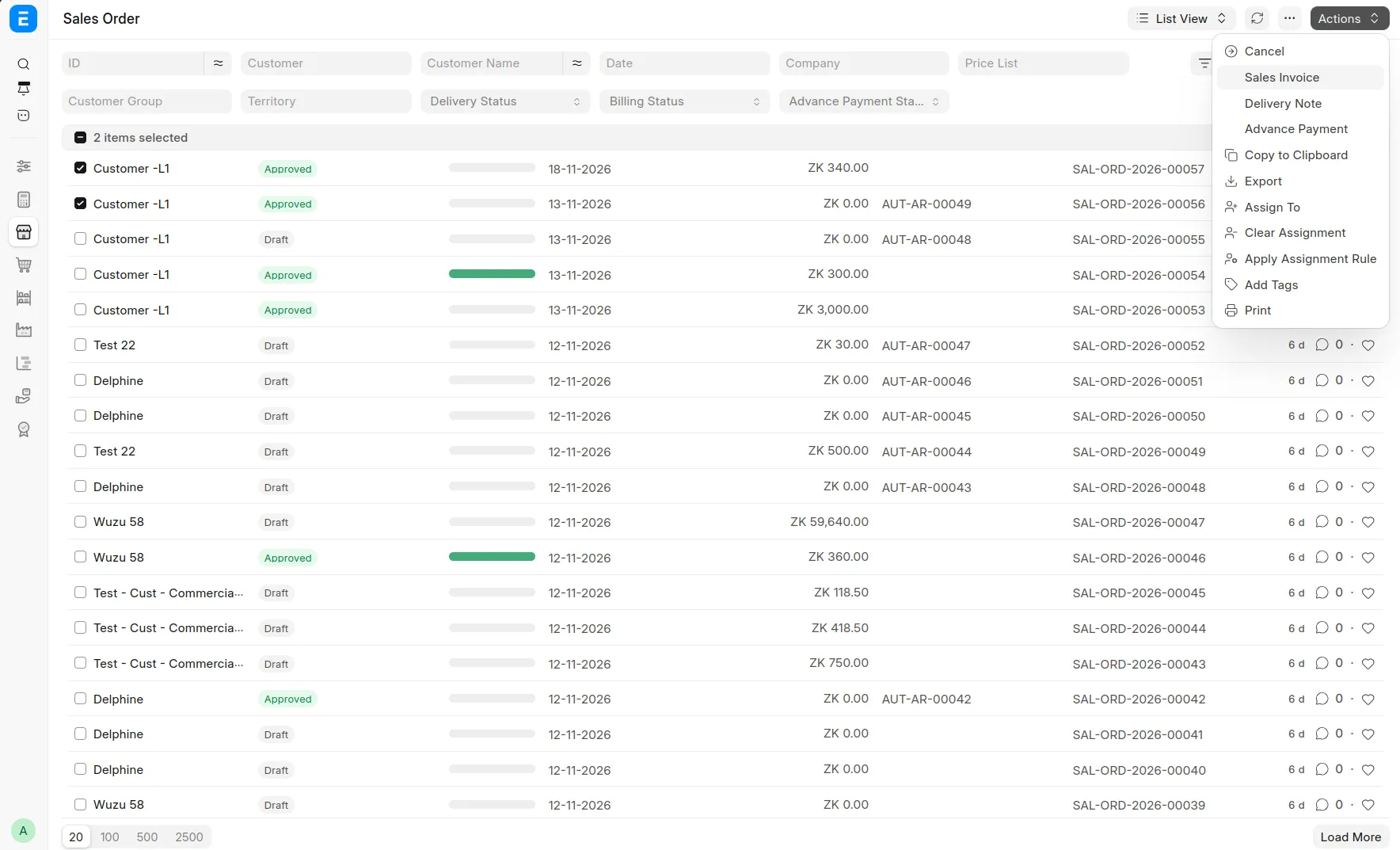
- Open the Sales Order list and tick the orders.
- Choose Actions > Sales Invoice.
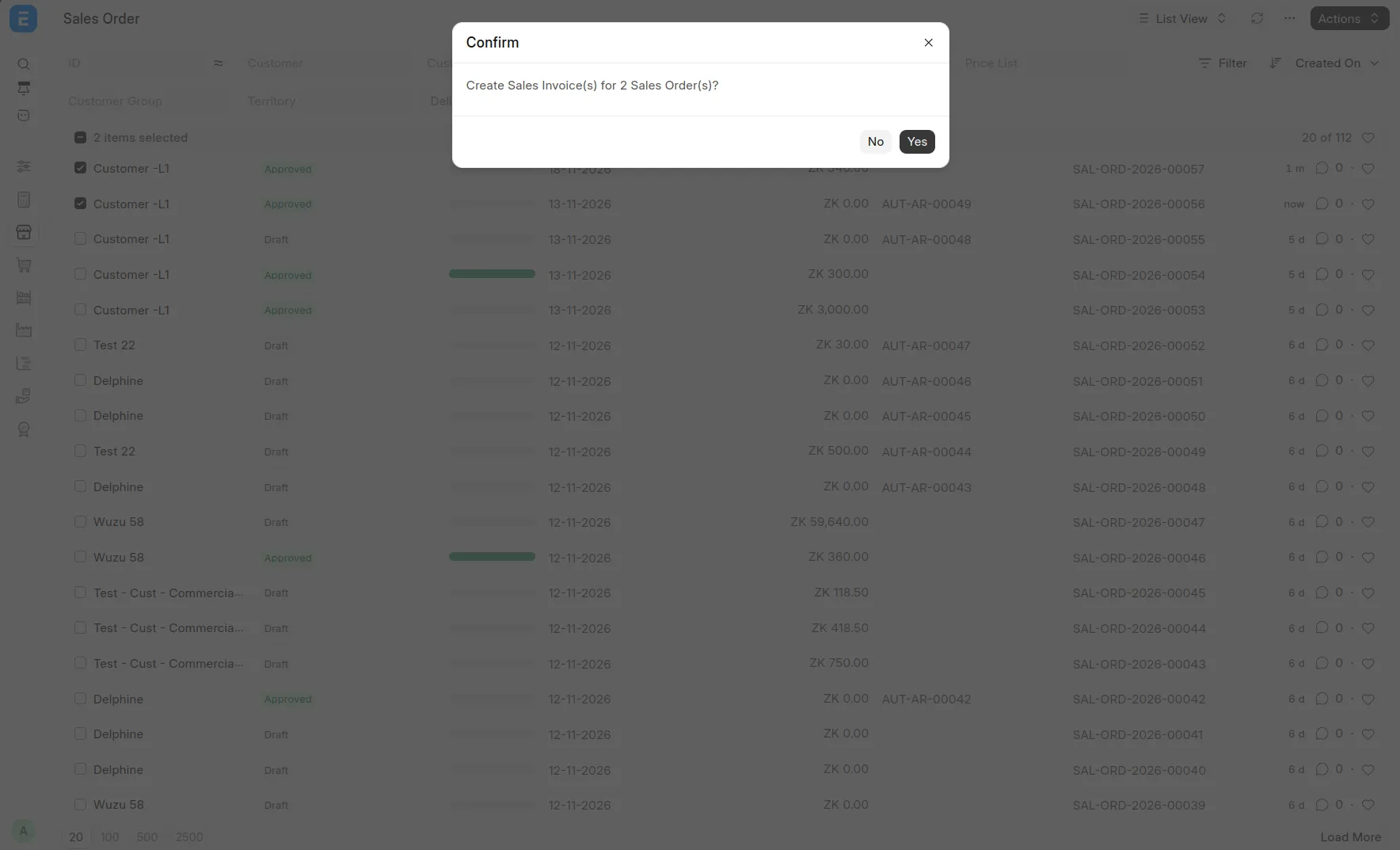
- Confirm. Draft orders are skipped, and the dialog lists them.
If Create single invoice for multiple sales orders per customer is ticked in Utility Billing Settings, the orders of each customer are merged into one invoice. Otherwise each order gets its own invoice. The invoice is created in the background, in the state set by Sales Invoice Creation State.
Check the invoices afterwards. The merged invoice takes its header, including the price list, currency and company, from the first order selected. Run the action once for the same orders, and submit or cancel the resulting drafts before running it again, otherwise the same orders are invoiced twice.
Checks on invoices from a request
When rent is billed by Item Price, an invoice for a request is checked:
- Every utility line must belong to one submitted request of the customer.
- Each line must fall within its lease.
- Rent lines are priced from the Item Price valid on their billing date. The rate cannot be changed by hand.
- A month cannot be billed twice.
- The invoice currency must match the request.
If Require Contract Before Sales Invoice Creation is on, the request needs a contract, and a signed one if Require Signed Contract is on.
Stock
Stock items on an invoice, such as water, are issued from the warehouse when the invoice is submitted. Make sure the warehouse holds enough stock.
If something does not work
See Troubleshooting.