




Customers and requests
Utility service requests
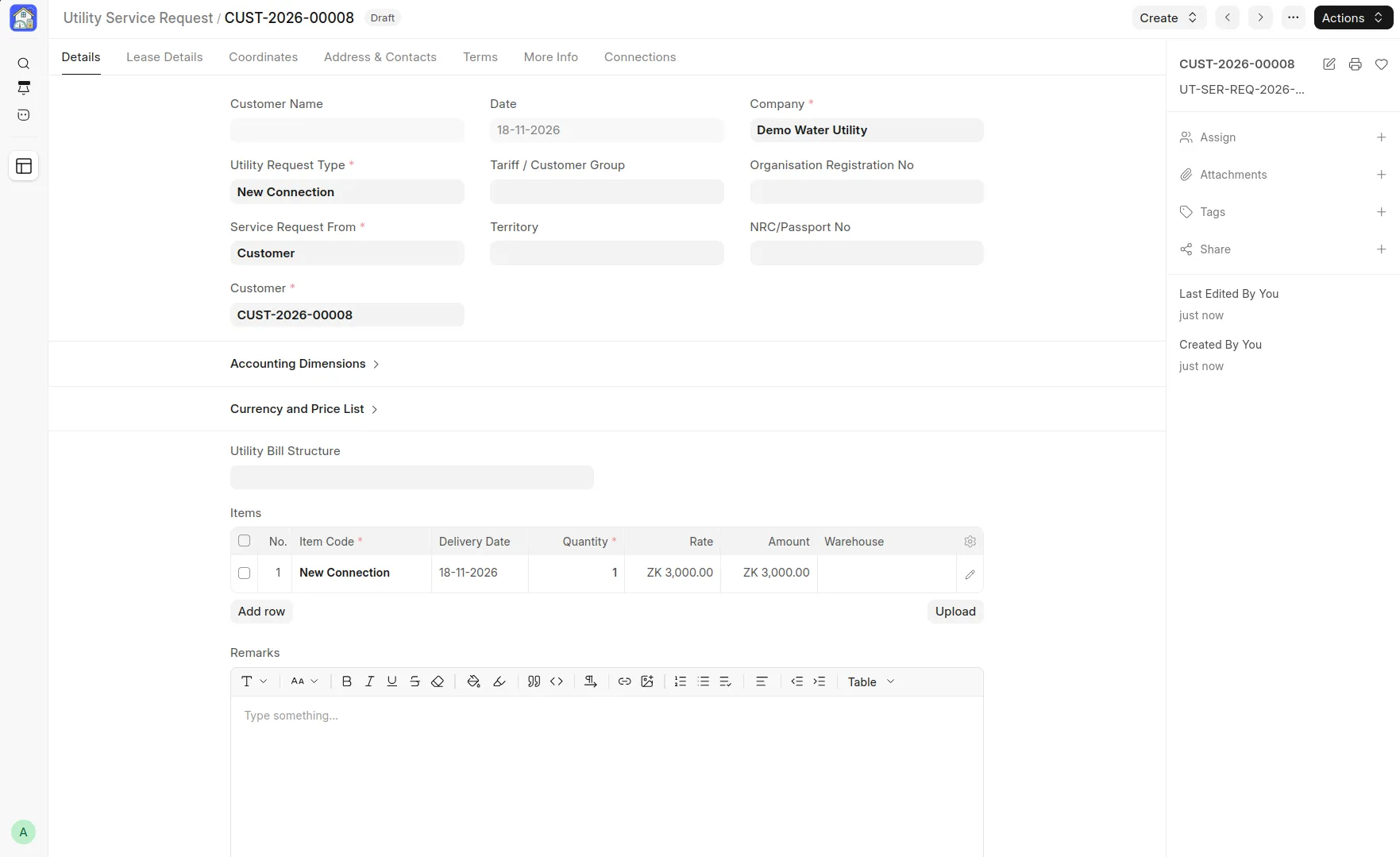
A Utility Service Request records what a customer or lead asks for: a new connection, a lease, or another service. It holds the items, the price list, the properties and the contract terms, and it is the starting point for the Sales Order, Contract and meters.
Create a request
- Go to Utility Service Request > New.
- Choose the Utility Request Type.
- Choose Service Request From (Customer, Lead, Prospect or CRM Deal) and pick the party.
- Choose the Price List (see below).
- Add the Items, or link a Utility Bill Structure to fill them in. Items are optional.
- If the request is for a lease, add the properties on the Lease Details tab, with their start and end dates.
- Save.
Price list
- For a customer, the price list fills in from the customer’s default, or its Customer Group’s. You can change it.
- For a lead, prospect or CRM Deal, nothing fills in. Choose the price list yourself.
- The price list fills in from the customer’s default, or from the Settings default if the customer has none. It is not required.
Approval and status
The request follows your site’s approval steps. Request Status shows progress: Site Survey Created, Site Survey Completed, BOM Created and BOM Completed. Leases for the same property cannot overlap.
Create menu
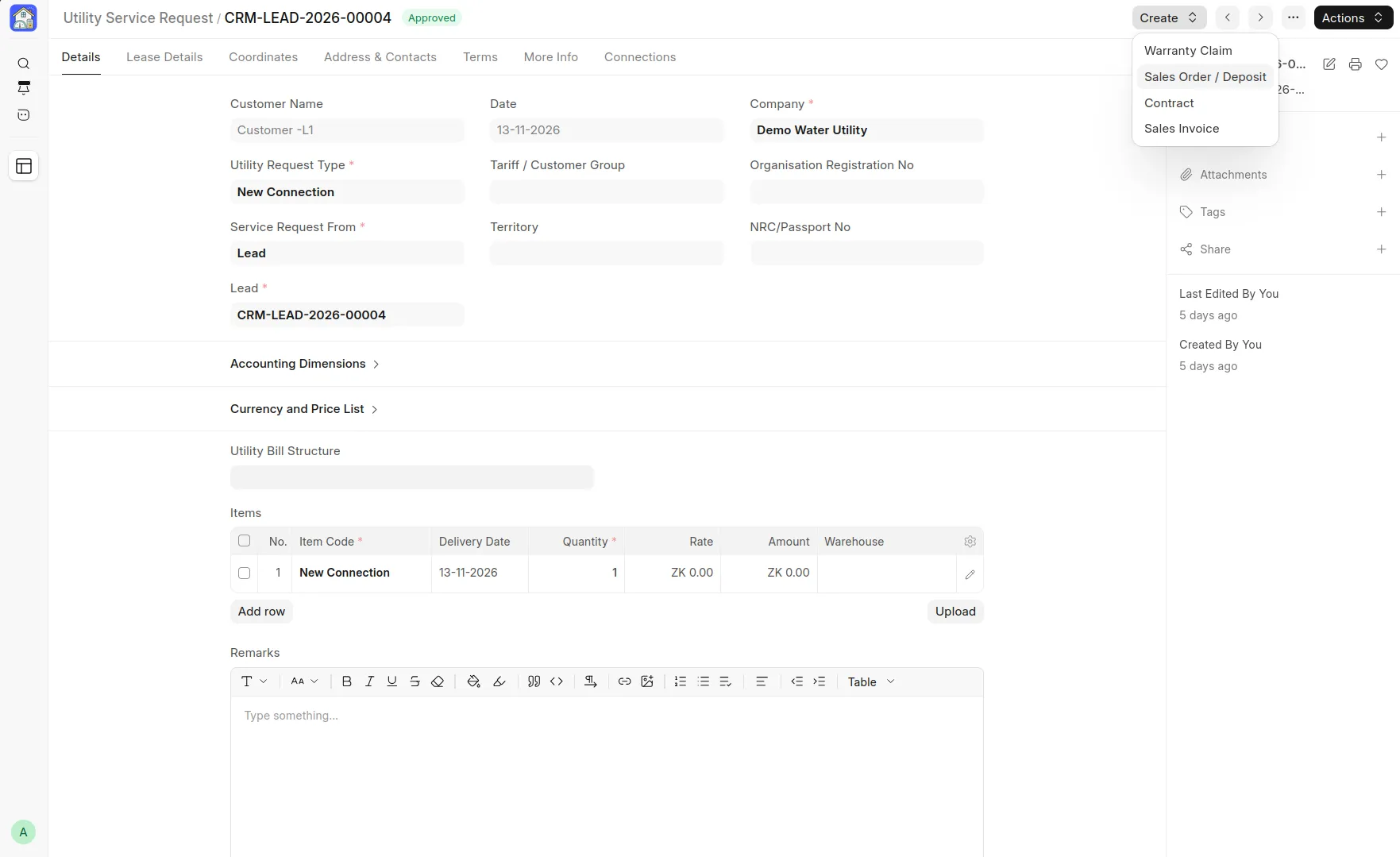
Once the request is submitted, the Create menu offers the next steps:
| Button | When it appears | What it does |
|---|---|---|
| Customer | The request has no customer yet | Creates the customer from the lead. |
| Site Survey | Site surveys are switched on in settings | Opens an Issue for the survey. |
| BOM | After the survey | Select or create the bill of materials for the request’s items. |
| Sales Order | The request has a customer | Creates the Sales Order for the connection or deposit. |
| Contract | After the deposit, if your settings require it | Creates the Contract for the leased properties. |
| Warranty Claim | The request has a submitted Sales Order | Opens a claim for the meter (see Warranty claims and meters). |
| Sales Invoice | The request has a customer | Creates the invoice from the request. |
Sales Orders
A Sales Order created from the request uses one price list, chosen in this order:
- The customer’s default price list, if it has one.
- Otherwise, the customer group’s default price list, if it has one.
- Otherwise, the default selling price list in Selling Settings.
The prices on its lines are the ones you entered on the request.
If something does not work
See Troubleshooting.
Last updated 1 week ago
Was this helpful?