




Meters and billing
Meter readings
A Meter Reading records what a customer’s meter shows. When it is submitted, the app creates a Sales Order for the usage.
Before you start
- The meter is on a Closed Warranty Claim of the customer (see Warranty claims and meters).
- The customer is covered by a Bill Structure Assignment (see Bill structure assignments), or has a default Price List with Item Prices.
Create a reading
- Go to Meter Reading > New.
- Or open a Closed Warranty Claim and choose Create > Meter Reading.
- Or select several Closed claims of one customer on the Warranty Claim list and choose Create Meter Reading.
- Or open a Bill Structure Assignment and choose Create Monthly Bill.
Fill in the form
- Choose the Customer. The name, territory and price list fill in.
- Choose the Property, if the customer has several.
- Choose the Warehouse at the top of the form. It fills every row. You can still change the warehouse on a row, and a new row takes the top warehouse.
- Add a row. Choose the Item and the Meter Number. The previous reading fills in. If a Bill Structure Assignment applies, the Consumption Item row is added for you.
- Enter the Current Reading and the Warehouse. Consumption is the current reading minus the previous one.
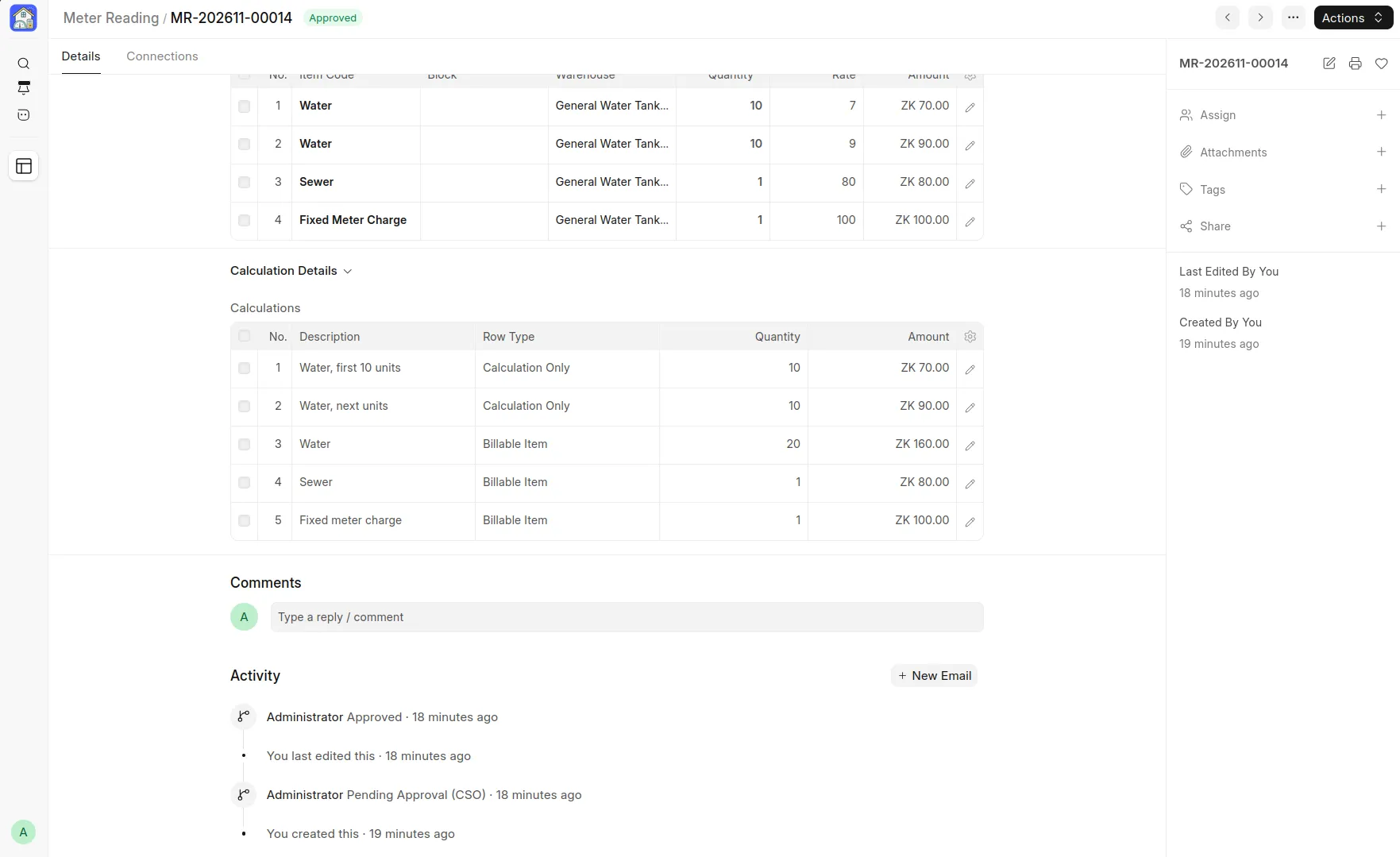
- Save. The charges appear in the Rates table.
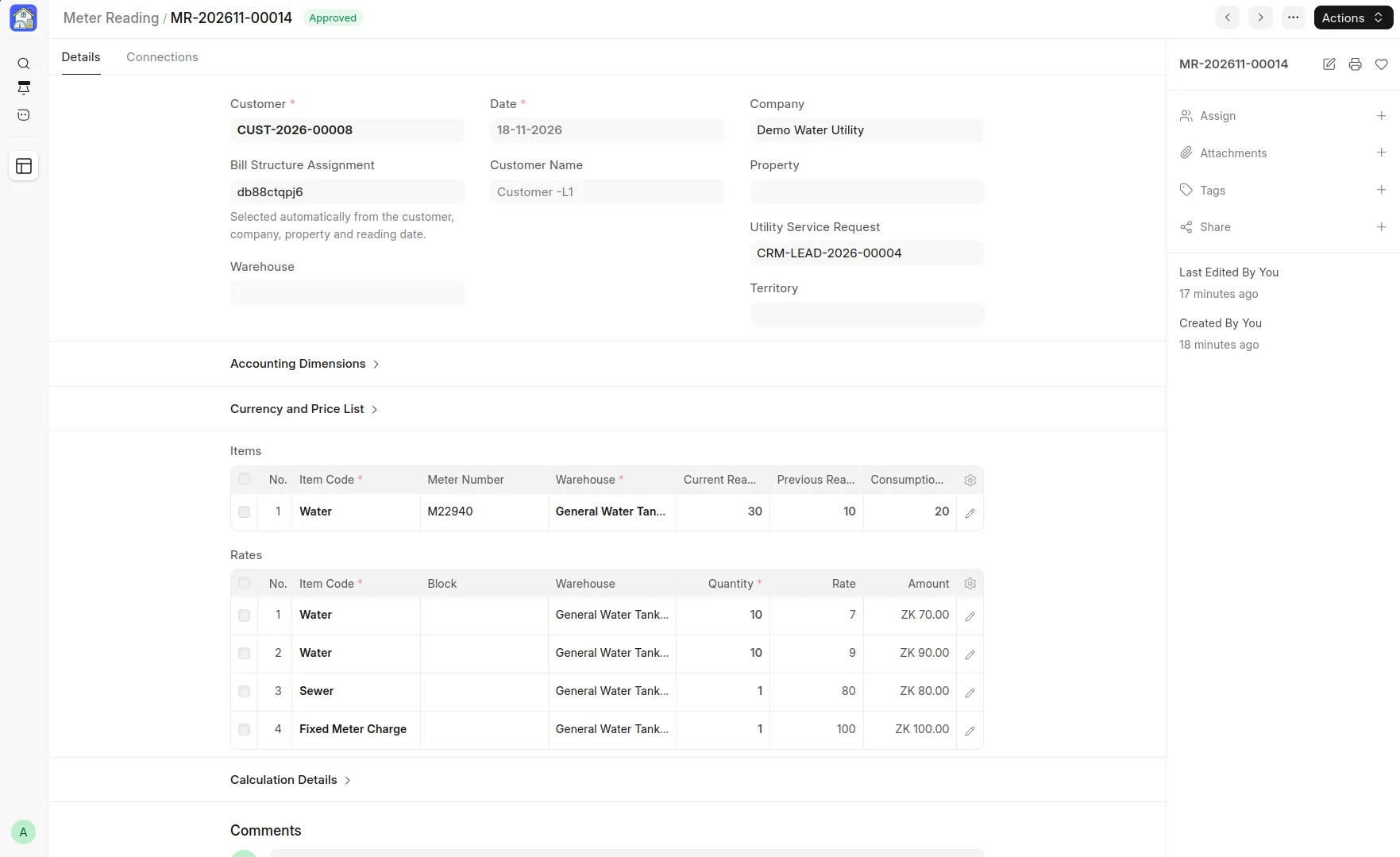
A stock item can show one line per tier in the Rates table.
How the reading is priced
| Situation | How the amounts are worked out |
|---|---|
| A Bill Structure Assignment covers the reading date | From the Bill Structure. The Calculation Details section shows how each amount was worked out. |
| No assignment | From the Item Prices on the reading’s price list that are valid on the reading date: a fixed meter charge, a flat rate, or tiered blocks. |
The previous reading
| Situation | Where it comes from |
|---|---|
| With an assignment | The last submitted Meter Reading for the same meter. Readings must be entered in date order. |
| Without an assignment | The last invoiced reading for the same meter. |
Submit
Submitting creates a Sales Order with one line per charge, in the state set by Sales Order Creation State in Utility Billing Settings. If your site uses an approval workflow, the reading is submitted at its final approval step. A reading with no charges cannot be submitted.
If something does not work
See Troubleshooting.
Last updated 1 week ago
Was this helpful?