







Bill Structure Assignment
A Bill Structure Assignment applies a Bill Structure to a customer for a period. When a Meter Reading is recorded for that customer, the app finds the assignment that covers the reading date and prices the bill from its structure (see Meter readings).
Create an assignment
- Go to Bill Structure Assignment > New.
- Choose the Customer and the Company.
- Choose the Property, if the customer is billed per property. Leave it blank if the structure applies to the customer as a whole.
- Choose the Bill Structure. It must be submitted and belong to the same company.
- Set the Start Date and End Date.
- Save and submit.
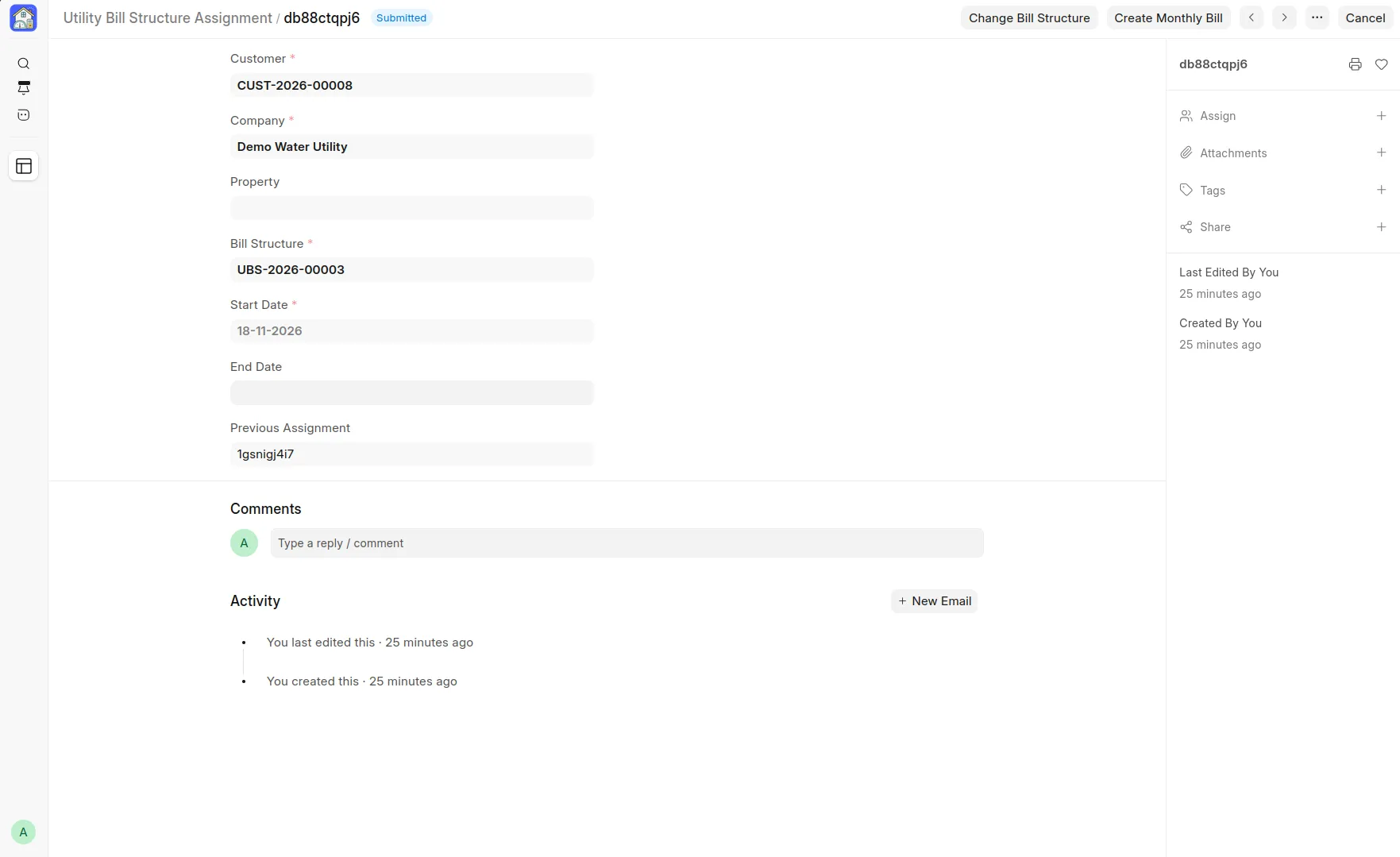
| Field | What it is for |
|---|---|
| Customer | Who is billed. |
| Company | Must match the structure’s company. |
| Property | Optional. Limits the assignment to one property. |
| Bill Structure | The structure used to price the bill. |
| Start Date, End Date | The period the assignment covers. |
| Previous Assignment | The assignment this one replaces, set when the structure is changed. |
Rules
- Two submitted assignments for the same customer and property cannot overlap.
- The property must belong to the same company as the assignment.
- Once a bill has been recorded under an assignment, its End Date cannot be moved earlier than that bill.
- An assignment is billed once per calendar month.
- The reading date must fall inside the assignment’s Start Date and End Date, and inside the Bill Structure’s dates.
Create a monthly bill
Open a submitted assignment and choose Create Monthly Bill. A new Meter Reading opens with the customer, company and property filled in. If the structure is metered, the Consumption Item row is added for you. Choose the meter, enter the current reading and the warehouse, then save.
When you record a Meter Reading yourself, the app picks the assignment from the customer, company, property and reading date. If none covers the date, the reading is refused.
Change the Bill Structure
When a customer moves to a different structure, do not edit the assignment. Open it and choose Change Bill Structure:
- Choose the new Bill Structure.
- Enter the Effective Date.
- Confirm.
The current assignment ends the day before the effective date. A new assignment starts on the effective date, is submitted, and shows the old one in Previous Assignment. Bills recorded before the effective date stay on the old structure.
If something does not work
See Troubleshooting.