




What each section is for
Unit information
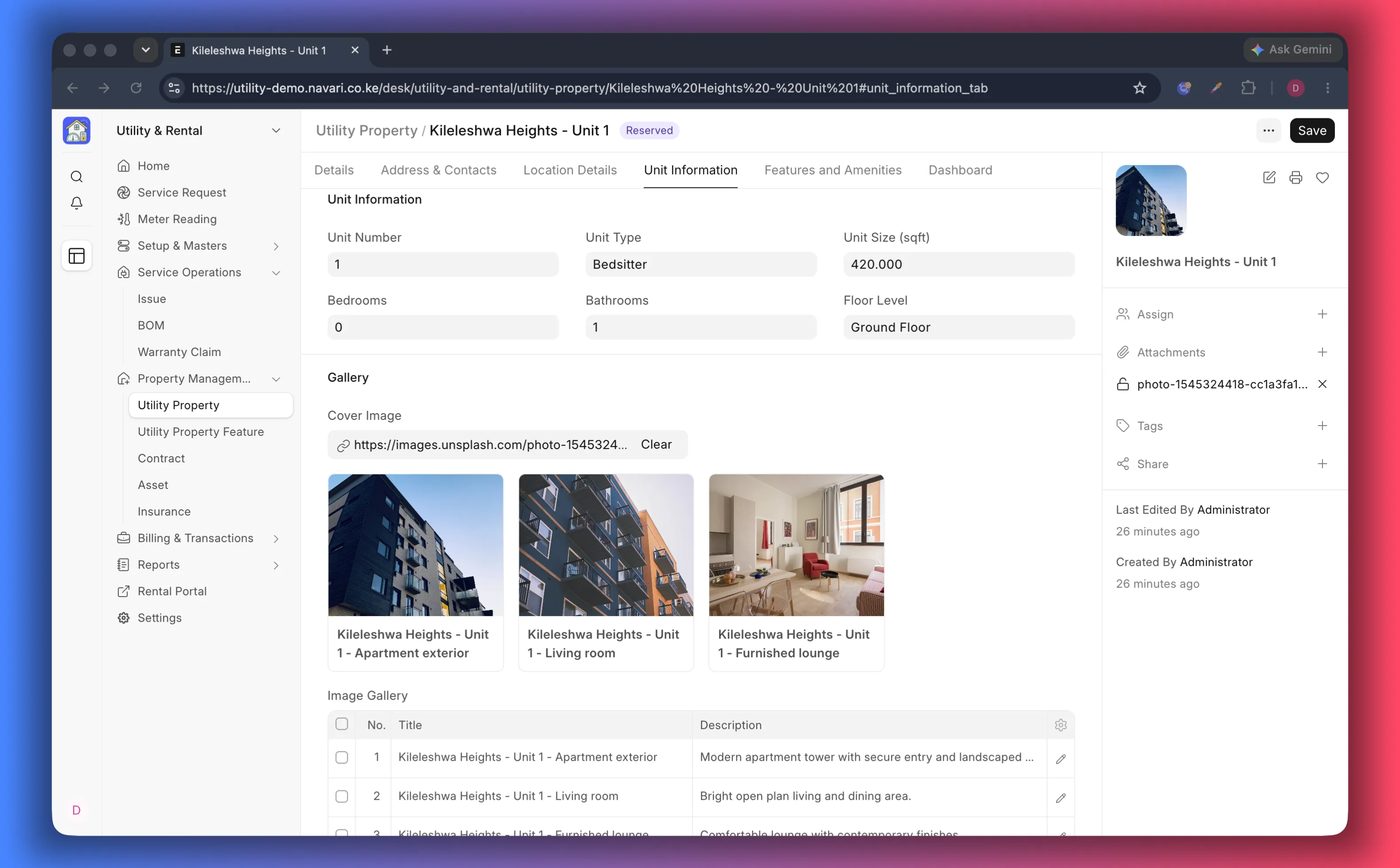
| Field | What to enter |
|---|---|
| Unit Number | The door or suite number, e.g. A-101 |
| Unit Type | Studio, one/two/three bedroom, office, shop — maintained as a link |
| Bedrooms / Bathrooms | Used by the portal and the availability report |
| Floor Level | Where the unit sits in the building |
| Unit Size (sqft) | Lettable area |
Location details
| Field | What to enter |
|---|---|
| Location | The estate, neighborhood or site |
| Territory | Sales territory, for reporting |
| House No / Plot No | Street address identifiers |
| Lot Size (Land Area) | Land area, for houses and plots |
Features and amenities
List what makes the unit attractive — parking, borehole water, balcony, backup
generator, gym access. Each row is one feature, and the list is shown on the
rental portal so prospective tenants can compare units.
Gallery
- Cover Image — the picture used on the portal card.
- Image Gallery — additional photos of the unit or building.
Both are optional; the portal falls back to a styled placeholder when no image
is set.
Asset details (optional)
Tick Is Fixed Asset when the property is also tracked as a company asset.
Then choose the Asset Category, the linked Item, the Asset Naming
Series and the Net Purchase Amount. If you pick an item that is already a
fixed asset, the category and amount are filled from it and become read only.
The rent Service Item is filled automatically when Auto Create Property
Service Item is enabled in Settings. It is the item used
to bill rent for this property; see
Rent Billing. Group properties are never given a rent
item — only lettable units are billed.