









2.2 First Flock Walkthrough
Use a test site and clearly labelled synthetic records. The example uses Navari Demo, livestock Item Demo Layers, Batch DEMO-FLOCK-001, and House A - ND. Do not post demonstration stock into a production farm.
Prepare the flock
- Complete Company, Warehouse, Item, and user setup.
- Create Demo Layers as a batch-tracked stock Item with stock UOM Nos. Create its Batch and mark Is Livestock Item.
- Enter a verified Hatch/Birth Date. For laying-flock comparisons, assign a submitted all-female performance profile with eligible egg Items.
- Receive 100 animals into House A using a submitted stock receipt. Receive sufficient feed into the feed store separately.
- Check the Batch and warehouse quantities in ERPNext Stock Ledger before entering activities.
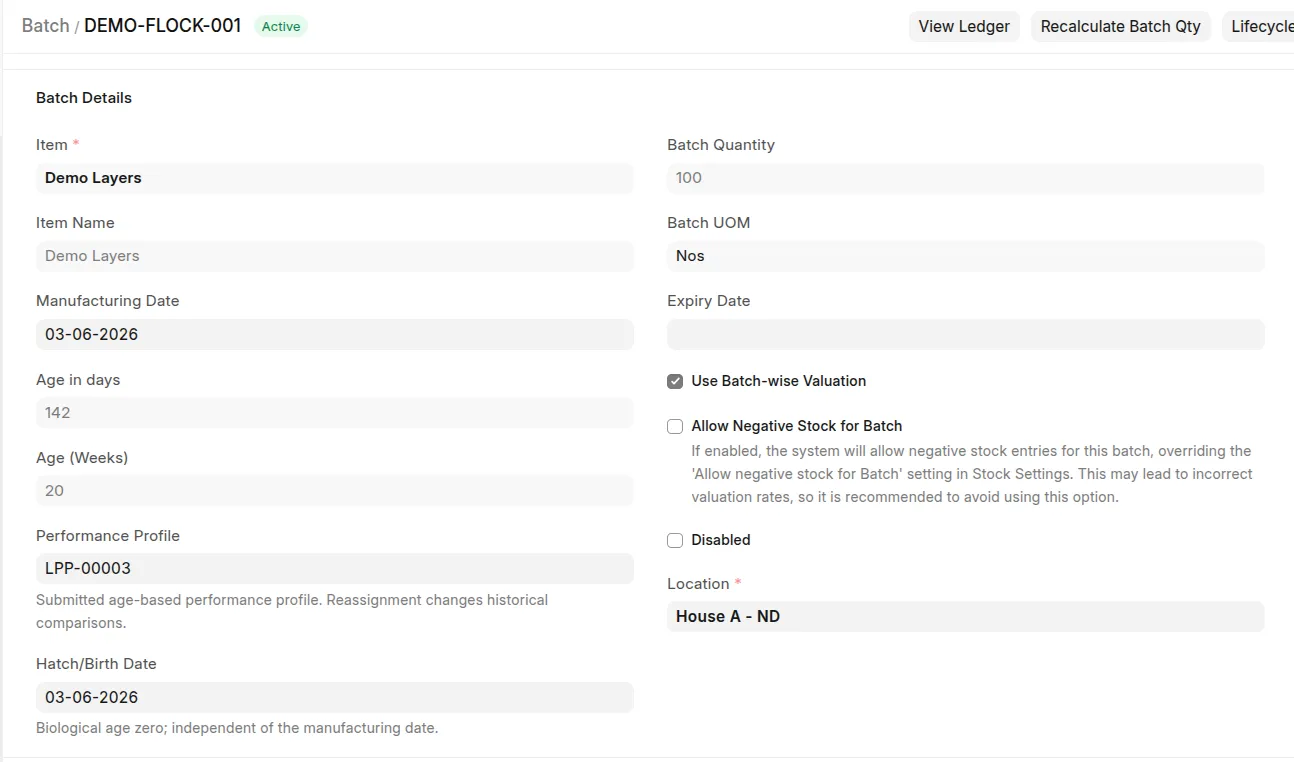 Example: Demo Layers batch document
Record
Use a test site and clearly labelled synthetic records. The example uses Navari Demo, livestock Item Demo Layers, Batch DEMO-FLOCK-001, and House A - ND. Do not post demonstration stock into a production farm.
Prepare the flock
two days of activity
- Open Daily Farm Entry and select the Company, Item, Batch, House, Employee, and actual activity time.
- Record an initial average weight of 1.0 kg using a representative sample of 10 animals.
- At a later timestamp, save a feeding entry for 40 kg, then open and submit the resulting Stock Entry.
- Record a second average weight of 1.2 kg after the feeding timestamp. Keep population unchanged between the measurements for this FCR example.
- For a separate two-day feed/yield comparison, use 100 g/animal/day targets and 160 eligible eggs over two days of 100 closing hens. Submit the produce receipts.
The measured interval gives FCR 40 / (100 × (1.2 − 1.0)) = 2. The separate two-day intake target is 20 kg and hen-day yield is 80%. Feeding 40 kg over that same two-day period would give a +20 kg feed variance; choose the report dates to match the example being checked.
Review
Open Livestock Batch Performance report, select the Company, Item, Batch, House, and relevant dates, and inspect Data Notes. Open Lifecycle Traceability on Batch to check receipts and activities. Refresh the workspace summaries with matching scope and dates; cards may default to the current month rather than the report's last 30 days.