









5.1 Workspace Dashboard
Open Vuna Livestock in Desk to access your daily work, reports, and flock summaries. Choose the cards and charts your team needs, and check that users can read the underlying farm records.
Add and review summaries
- Confirm a default Company for the user and accessible livestock Batches marked Is Livestock Item.
- Check submitted animal/feed stock movements and explicit measurement scope.
- If a summary is not already present, use the standard workspace editor with an authorised role to add the installed Number Cards and Dashboard Charts.
- Select the intended scope and historical dates where supported, then refresh.
- Open the underlying report or documents to investigate a result.
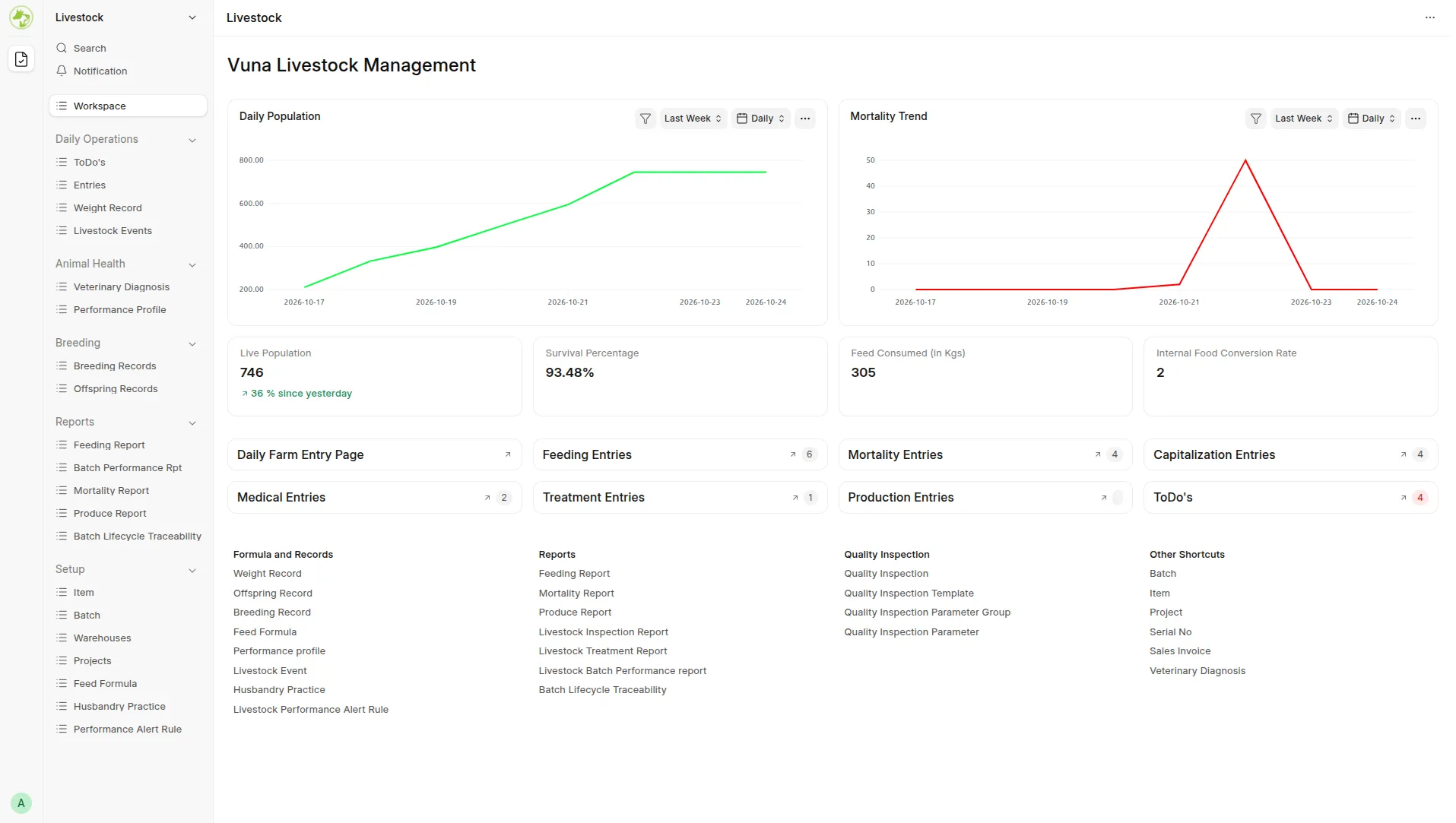 Workspace showing populated cards and charts.
The summaries are operational counts, percentages, mass, or ratios; they should not be read as currency. Available components include Survival Percentage, Feed Consumed, Internal FCR, Daily Population, and Mortality Trend.
Cards generally default to the current month through today, whereas chart timespans and report filters can differ. Align dates and Company before comparing figures. The Daily interval is required for the two historical trend sources.
Last updated 3 weeks ago
Was this helpful?