









5.5 Operational Reports
Use these reports to investigate your feeding, mortality, produce, inspection, and treatment records. Search by the report name in Desk if your workspace uses a different shortcut label.
| Report | Intended review | Filters to start with |
|---|---|---|
| Feeding | Feed issues and source transactions | Company, date range, optional Stock Entry, Batch, source Warehouse, Item |
| Mortality Report | Classified mortality issues | Company, dates, optional Stock Entry and source Warehouse |
| Produce Report | Legacy production entries and grouped output | Company, dates, optional Stock Entry, Batch, target Warehouse, Item |
| Livestock Inspection Report | Inspection records | Use the report's available inspection and date filters |
| Livestock Treatment Report | Treatment records | Use the report's available treatment and date filters |
Investigate a result
- Choose a Company and a narrow known posting-date range.
- Run the report with minimal additional filters.
- Open a source document and confirm its type, purpose, Batch link, warehouse, stock quantity, and status.
- Compare against the stock ledger and the newer batch performance report as appropriate.
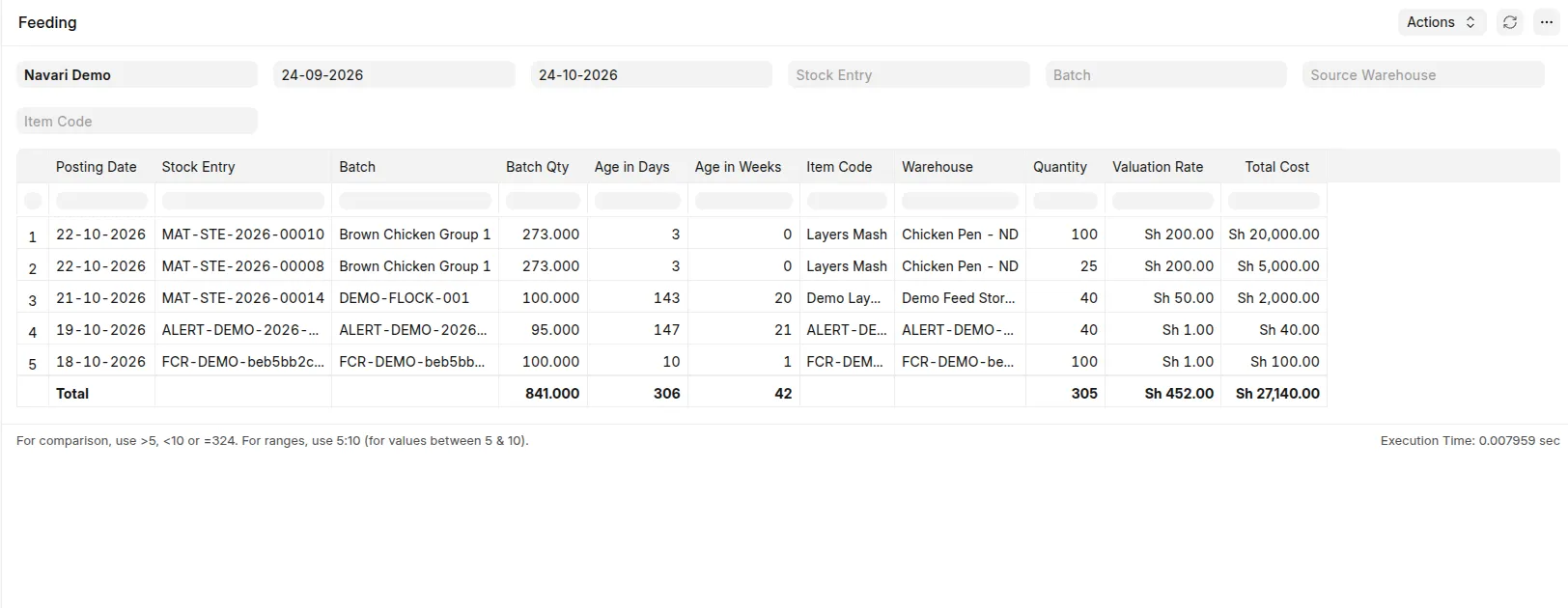 Feeding report with visible scope and linked source issue
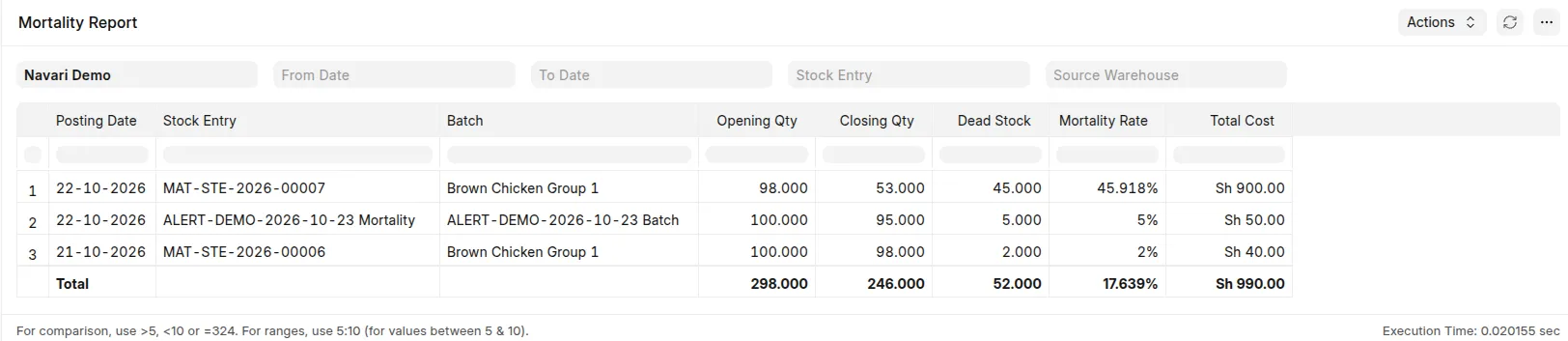 Mortality Report for a known submitted loss entry.
Filters and status coverage vary across older reports. Use the lifecycle/performance guides for those reports' explicit completeness and permission rules, rather than treating every operational report as an equivalent source of population metrics.
Last updated 3 weeks ago
Was this helpful?