









3.4 Batch and Serial Numbers
Use a Batch to identify each flock or intake of animals you manage together. Use Serial Nos where you need to identify individual animals.
Batch setup
- Create a Batch for the livestock Item using standard ERPNext batch setup or the receipt workflow.
- Mark Is Livestock Item for dashboard summaries and performance alerts.
- Enter the verified Hatch/Birth Date for biological target comparisons.
- Select a submitted Performance Profile when targets are available.
- Review Location and capitalization settings where used, then save.
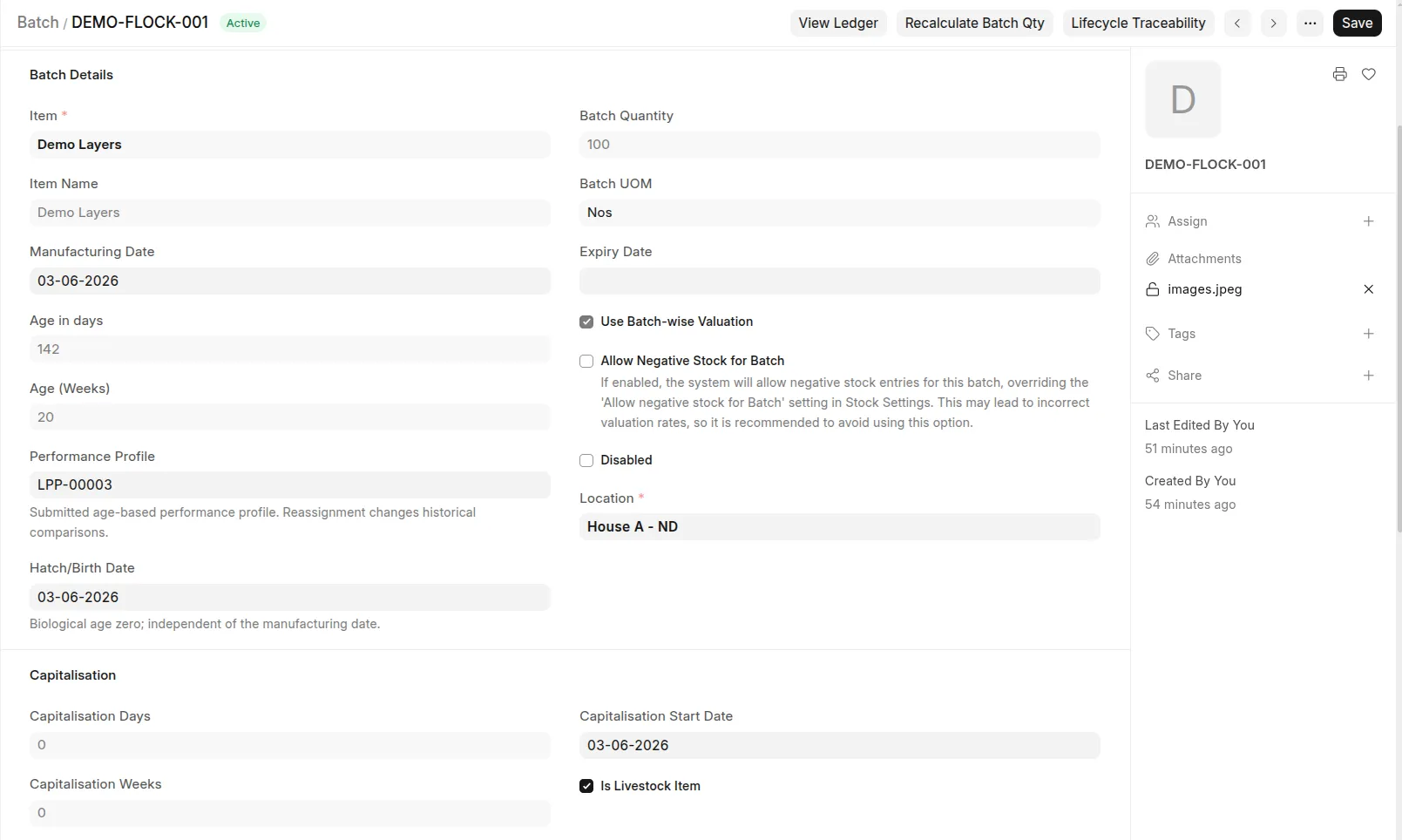 Batch showing Is Livestock Item, Hatch/Birth Date, Performance Profile, and Lifecycle Traceability button.
Creating a Batch does not create livestock stock. Submit a receipt into the actual house. A Batch belongs to an Item; stock movements establish its Company and warehouse quantities.
The target report uses Hatch/Birth Date with no manufacturing-date fallback. If your Batch displays age based on Manufacturing Date, treat that as a separate display; enter Hatch/Birth Date for target comparisons. Reassigning a profile changes historical comparisons; use document history to review assignment changes.
Individually identified livestock
Use ERPNext Serial Nos for supported individual-animal workflows, including dam/sire links and serial-specific veterinary capitalization. Configure serial creation on the Item before receiving animals. Do not assume batch dashboard calculations support every serial-only workflow.
The Batch Life-cycle Traceability button opens the life-cycle report and proposes the user's default Company.