









4.1 Receiving Livestock
Record the animals arriving at your farm through ERPNext stock transactions so your house balances and population reports reflect the animals you actually hold.
- Prepare the livestock Item, Batch or Serial Nos, Company, and destination house.
- For a supplier delivery, create a Purchase Receipt using the standard purchasing workflow. For a suitable non-purchase receipt, use a Material Receipt Stock Entry according to your accounting policy.
- Enter the actual posting date/time, livestock Item, whole-animal stock quantity, destination house, and batch/serial allocations.
- Review valuation and required accounts, then submit using the normal approval process.
- Verify the stock ledger and Batch balance in that house.
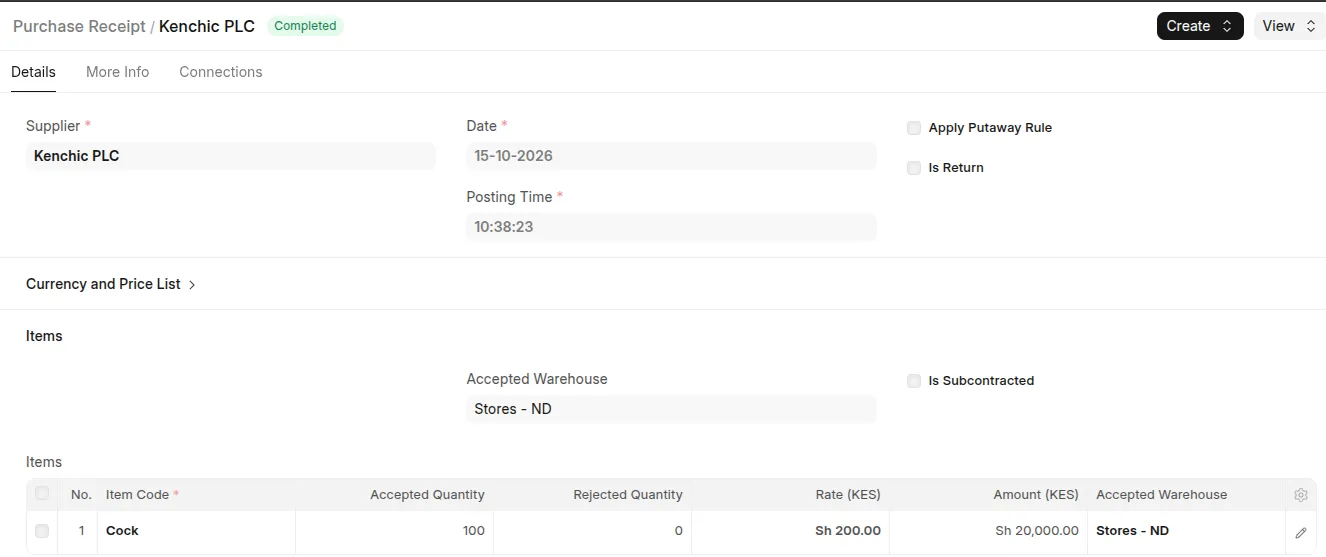 Example: Submitted livestock receipt via purchase receipt with posting date, Batch allocation, quantity, and destination house.
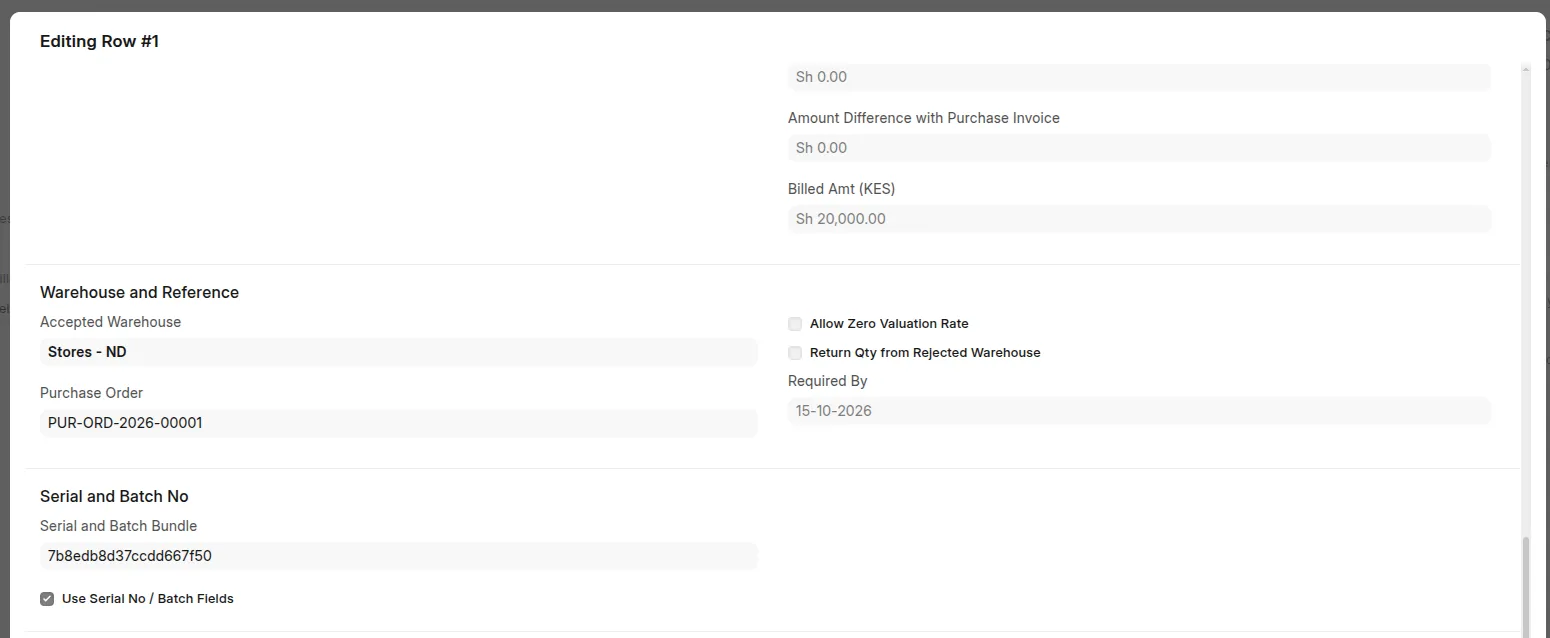 Purchase receipt item showing serial and batch no section
For births, use Breeding and Offspring so the linked Offspring Record can support a Birth classification. An unlinked historical receipt remains a Receipt in lifecycle reporting.
Last updated 3 weeks ago
Was this helpful?