









Feeding
Record the feed you issue to each flock using a Feeding / Material Issue Stock Entry linked to its Batch and house. Submit the entry after review so the quantity appears in your consumption summaries.
- Ensure feed stock is available in the correct source store and conversions to Kg are configured.
- In Daily Farm Entry select the animals' Company, Batch, House, and activity time.
- Choose Feeding and add the feed Item, quantity in its stock UOM, source warehouse, and inventory Batch if required.
- Save, open the generated Stock Entry, verify the livestock Batch/House header and feed rows, and submit through the normal process.
- Refresh Feed Consumed or run the batch report for matching dates.
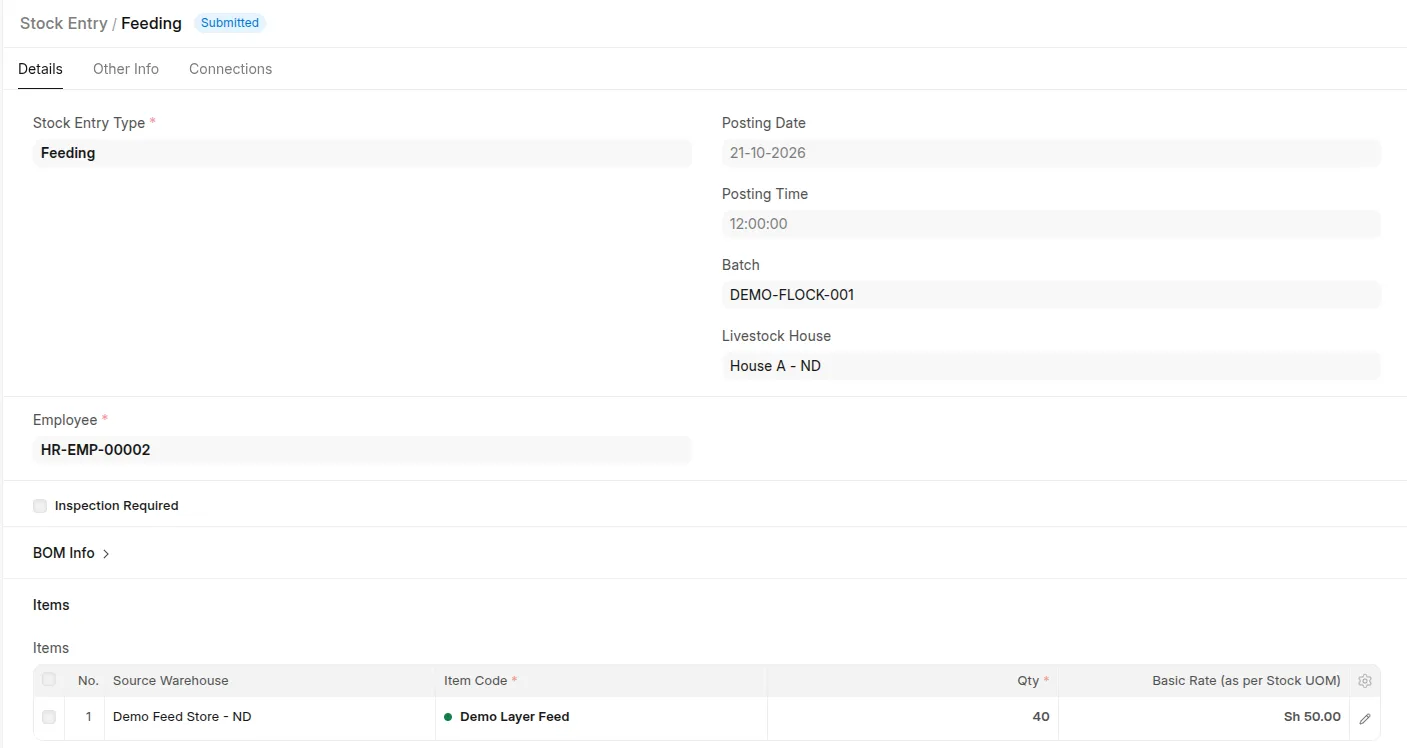 Submitted Feeding Material Issue showing livestock Batch/House and feed stock quantity/source store.
A draft contributes no posted consumption. The feed's inventory Batch is separate from the header livestock Batch being fed.
A feed store is the issue source; the livestock House is the animal location. Missing historical House can make house-level summaries unavailable. Use the standard form for alternative transaction UOMs and serial-controlled stock.
If the livestock Batch has Active capitalisation and the issue qualifies, submission can also create a Capitalisation Repack.