









5.9 Performance Alerts
Set up performance alerts to notify the person responsible when your flock needs attention. Your enabled rules run daily and create assigned ToDos with the evidence needed for follow-up. New follow-ups use a standard System Notification.
Set up rules
- Open Performance Alert Rules from the Livestock workspace/sidebar or search for Livestock Performance Alert Rule. Stock Managers and System Managers can manage rules.
- Select Company, alert type, and an enabled System User responsible for follow-up. Optionally restrict the rule to a Livestock Item and non-group House/Warehouse in that Company.
- Enter the thresholds for that alert type. Thresholds have no biological defaults: choose them
- Mark applicable Batches Is Livestock Item. Their Items must be batch-tracked stock Items counted in Nos or Unit.
- Give the responsible user read access to Company, Item, Batch, House, and all source documents used by the rule. A filtered subset of ledger entries or measurements is not accepted as complete evidence.
- Enable the rule. Enabled rules of the same alert type and Company cannot overlap Item/House scope. For example, an unrestricted Company mortality rule cannot coexist with a mortality rule for one Item within that Company. Different alert types may cover the same flock.
The scheduler must be enabled and workers running on the site. Checks use your site's configured timezone. Ask your administrator to verify scheduled processing and the responsible user's source-record access. It sends no reminders until rules have been configured and enabled.
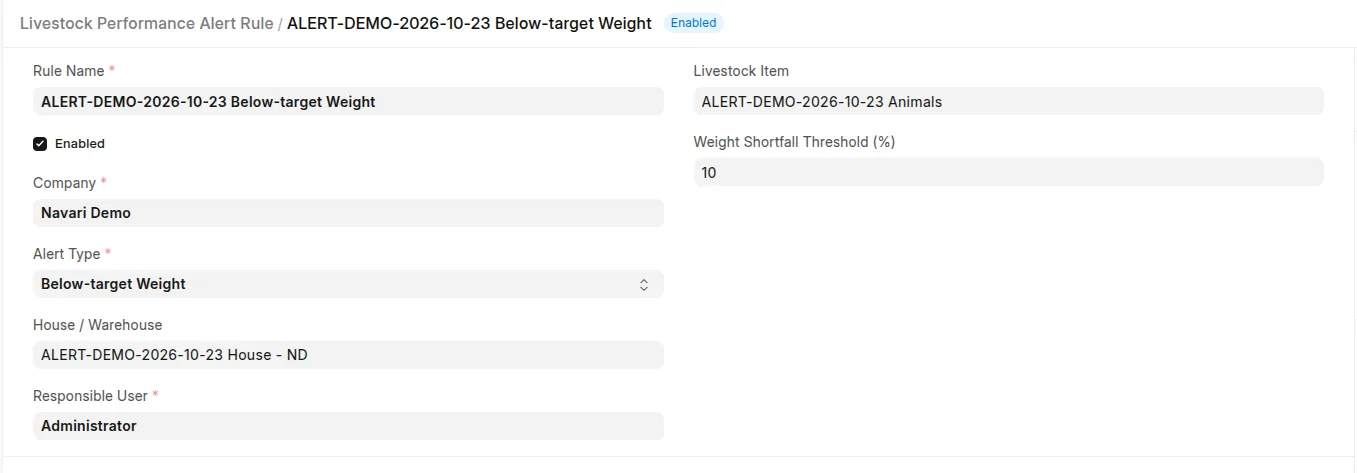 Scoped alert rule with responsible user, explicit thresholds, and Enabled setting.
Detection rules
| Alert type | Trigger and evidence |
|---|---|
| Mortality | On the last completed farm day, both minimum death count and mortality percentage thresholds are reached. Percentage is deaths ÷ (opening population + incoming animals) × 100, using the survival calculation's stock-validity checks. |
| Below-target Weight | The latest valid average kg/animal measurement falls below its measurement-age profile target by at least the configured shortfall percentage. Requires a submitted performance profile, Hatch/Birth Date, positive target, valid sample size, and known house. |
| Overdue Weighing | Today is later than the last valid weighing date plus Maximum Weighing Gap. If never weighed during the current occupancy period, use the date stock first became positive in the house. |
| Overdue Treatment | A saved Veterinary Diagnosis remains Pending and its end date is before today. This is an overdue treatment follow-up, not proof that an individual dose was missed. |
Population and weight alerts are evaluated separately for each Company/Batch/House. Your stock quantities are read from historical ledger allocations, including supported batch fields and Serial and Batch Bundles without duplicate counting. Mortality is measured for yesterday, even if the job is run again during today. Only issues classified as Mortality count as deaths; separately classified culling does not.
Stock corrections, unclassified animal issues, and unresolved batch transformations can make the mortality denominator unavailable. An invalid denominator is Unknown, not a zero death rate. A completed day with no livestock exposure has no current mortality condition.
Weights need explicit Company, historical house, Kg UOM, positive average weight, and a positive whole sample size within the population at measurement time. Older weights before the latest zero-to-positive occupancy change do not satisfy the current weighing requirement. Valuation-only Repacks are netted by voucher and do not reset the arrival date. A below-target weight can remain an active condition until a newer valid measurement or revised verified target supports recovery; the evidence date is displayed. Missing measurements are handled by the weighing-gap rule rather than invented growth values.
Pending diagnoses are drafts in the existing workflow: submission requires Completed status. The treatment check therefore includes saved Pending drafts. It uses the diagnosis end date, not individual treatment-plan doses. Company/Batch-wide rules can follow a diagnosis without a recorded house; House-scoped rules need its explicit capitalisation warehouse or its correctly linked medicine issue's explicit house. The current Batch location is not used to guess a past location.
Follow-up and recovery
Each new issue creates a High-priority ToDo, assigned to the responsible user and due on detection day. Stock/weight follow-ups reference Batch; treatment follow-ups reference Veterinary Diagnosis. The initial description contains the evidence and a source link.
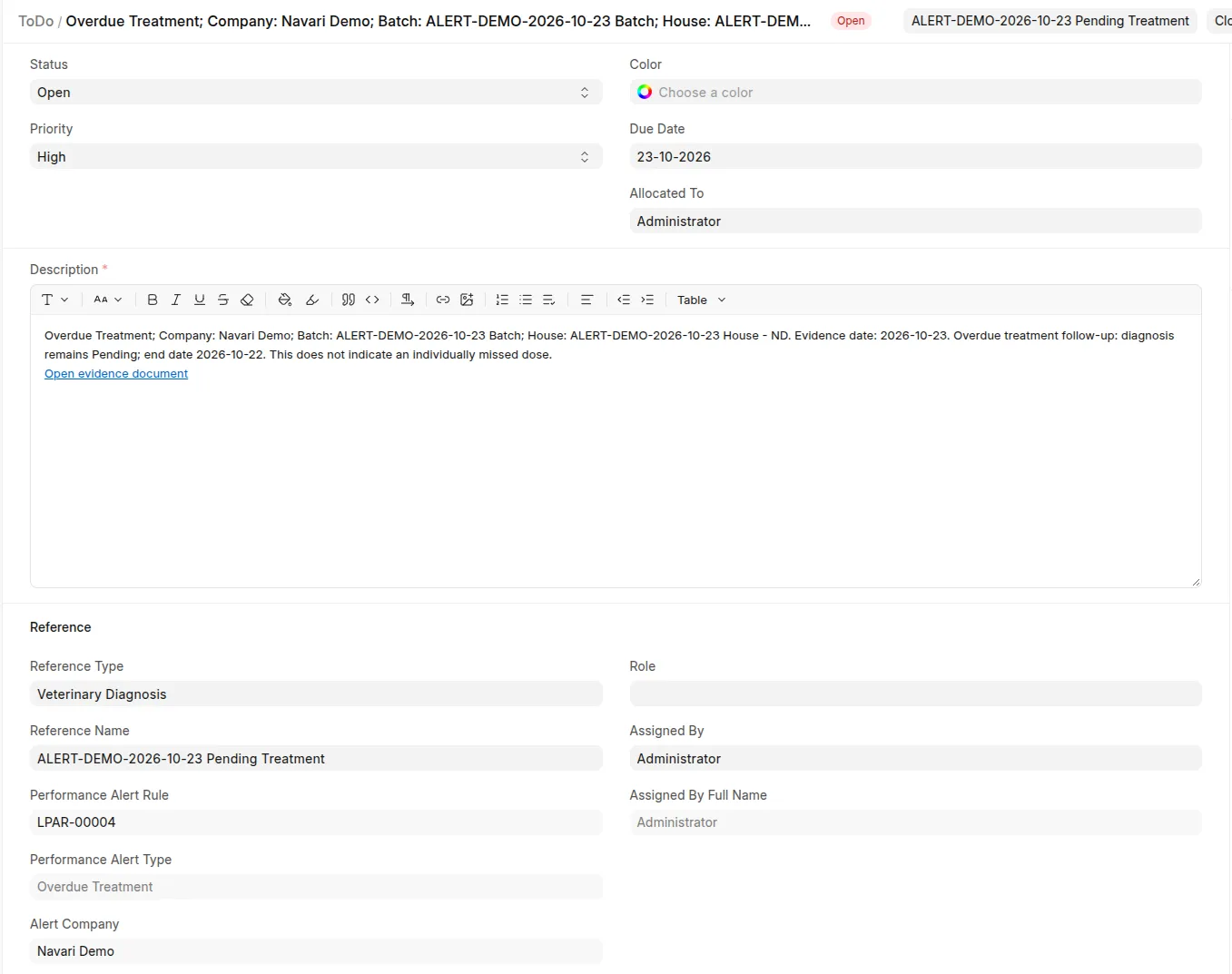
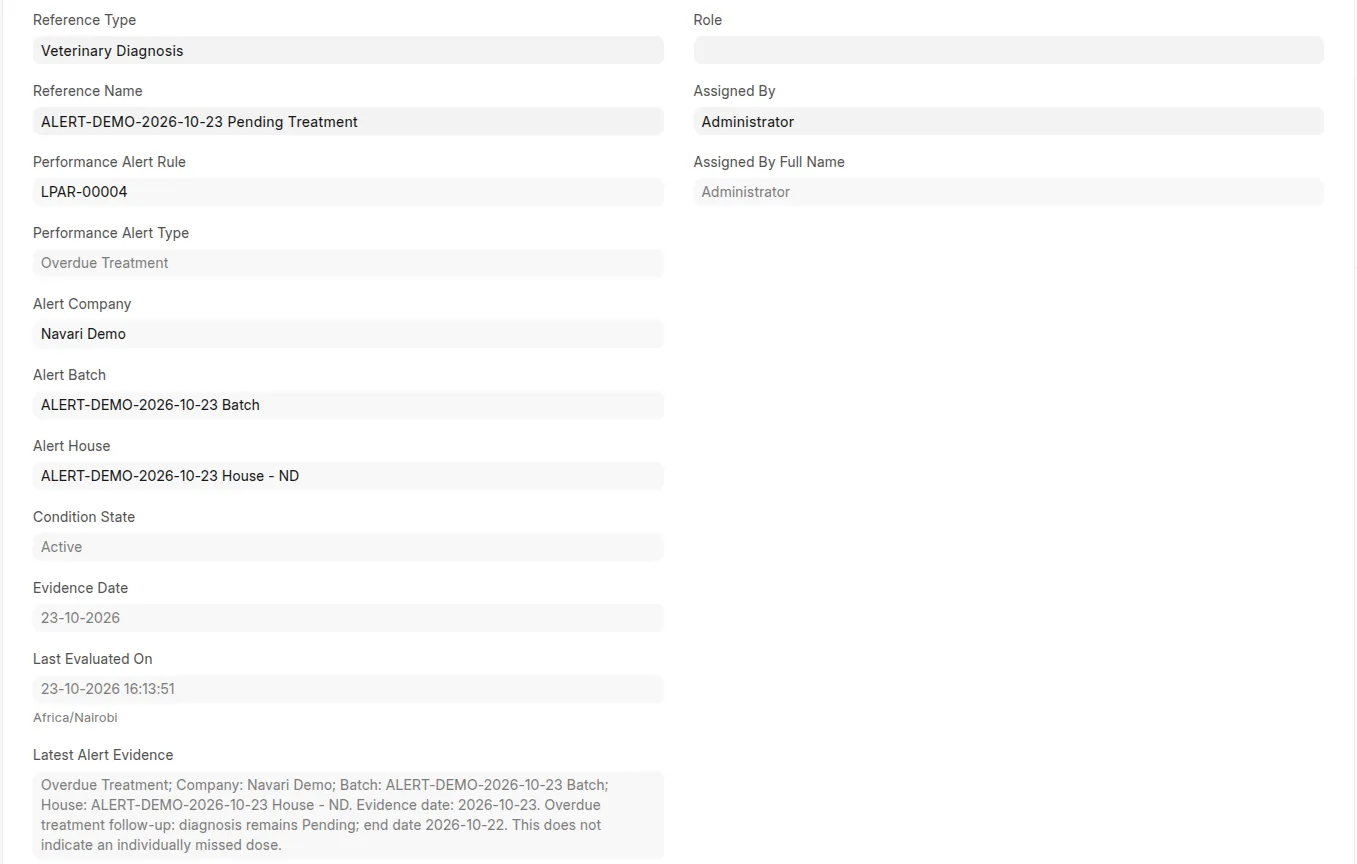 Generated High-priority ToDo with evidence date, condition, assignment, and source link.
Use the ToDo's Latest Alert Evidence, Evidence Date, Condition State, and Last Evaluated On fields to inspect current detection results. Repeated evaluations update these fields without replacing user-written descriptions or creating duplicate tasks. Use standard comments and ToDo status for follow-up.
| Condition state | Meaning |
|---|---|
| Active | The latest valid evaluation breaches the configured rule. |
| Cleared | Valid evidence establishes recovery, no current stock exposure/occupancy, or completed/cancelled treatment follow-up. |
| Unknown | Evidence is missing, invalid, inaccessible, or no longer matches the rule scope. It does not establish recovery. |
There is at most one open system-managed follow-up per condition scope. Closing or cancelling a ToDo acknowledges the current episode: it stays closed/cancelled while that condition persists. An acknowledged episode must first clear before a later breach creates another ToDo.
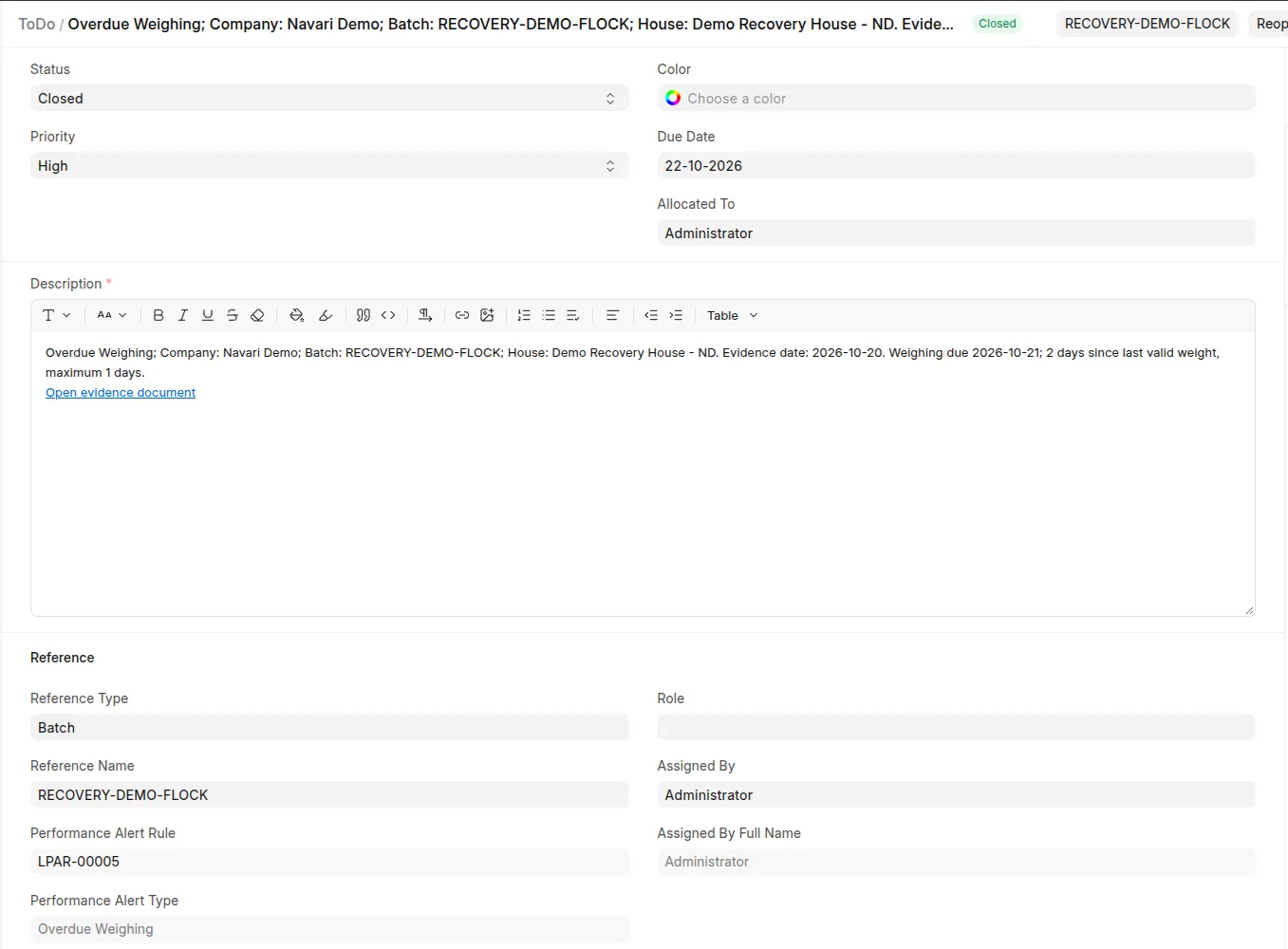 Acknowledged ToDo with status and retained managed evidence.
On Company, configure Auto-close Performance ToDos on Recovery:
- Off (default): mark the condition Cleared but leave an open ToDo for manual closure. If it recurs while that ToDo remains open, reuse the open follow-up.
- On: close an open performance ToDo after confirmed recovery. Later recurrence creates a new ToDo. Existing acknowledged Closed/Cancelled tasks are not reopened.
Unknown evaluations preserve previous evidence and never close tasks. Disabled rules pause monitoring; they do not establish recovery. Scopes that disappear from eligible inputs are marked Unknown rather than silently resolved. Standard Error Logs record rule failures and unavailable inputs for administrator review; one failed rule does not stop others.
Alert identity and evaluation fields are maintained by the detector and protected server-side. Change the rule to change responsible ownership. Managed ToDos cannot be deleted through the normal form/API because their history prevents duplicate episodes; close or cancel them instead. Unrelated ToDos are unaffected.
Notifications
The app installs Livestock Performance Follow-up, a standard Frappe Notification configuration:
- Document: ToDo; event: New; channel: System Notification; type: Alert.
- Condition: a system-managed performance scope with Active condition.
- Recipient: the email identity of the ToDo's allocated user, stored in a protected field so special user IDs such as Administrator can also be resolved.
New ToDos notify once; routine updates, acknowledgement, and recovery send no additional alert messages. Notifications respect standard user notification settings. A recurrence that creates a new ToDo sends a new notification; reusing an already-open task does not.