









3.6 Performance Profiles
Create a Livestock Performance Profile for the breed and production stage you manage. Open it from Desk search with a Stock Manager or System Manager account. Enter a descriptive profile name, then add one target row per biological age day or use standard Frappe Data Import with child rows. Age zero is the hatch/birth date. Export a template first to obtain the correct parent and child column names.
| Target | Unit |
|---|---|
| Average weight | kg per animal |
| Daily feed intake | g per animal per day |
| Interval FCR | kg feed per kg live-weight gain |
| Hen-day egg yield | percentage |
Leave an individual target blank when unspecified. Enter 0 for an explicit zero. Use blank cells for targets you do not have; a blank remains different from an explicit zero. Negative, non-finite, and non-numeric targets are rejected. Ages must be unique non-negative whole days; egg yield cannot exceed 100%.
For an all-female laying flock, enable All-Female Laying Flock and select all egg Items laid, including cracked and damaged eggs. These must be stock Items counted in Nos or Unit. Do not select non-egg produce. Hen-day yield is unavailable for mixed-sex flocks or profiles not declared as laying flocks.
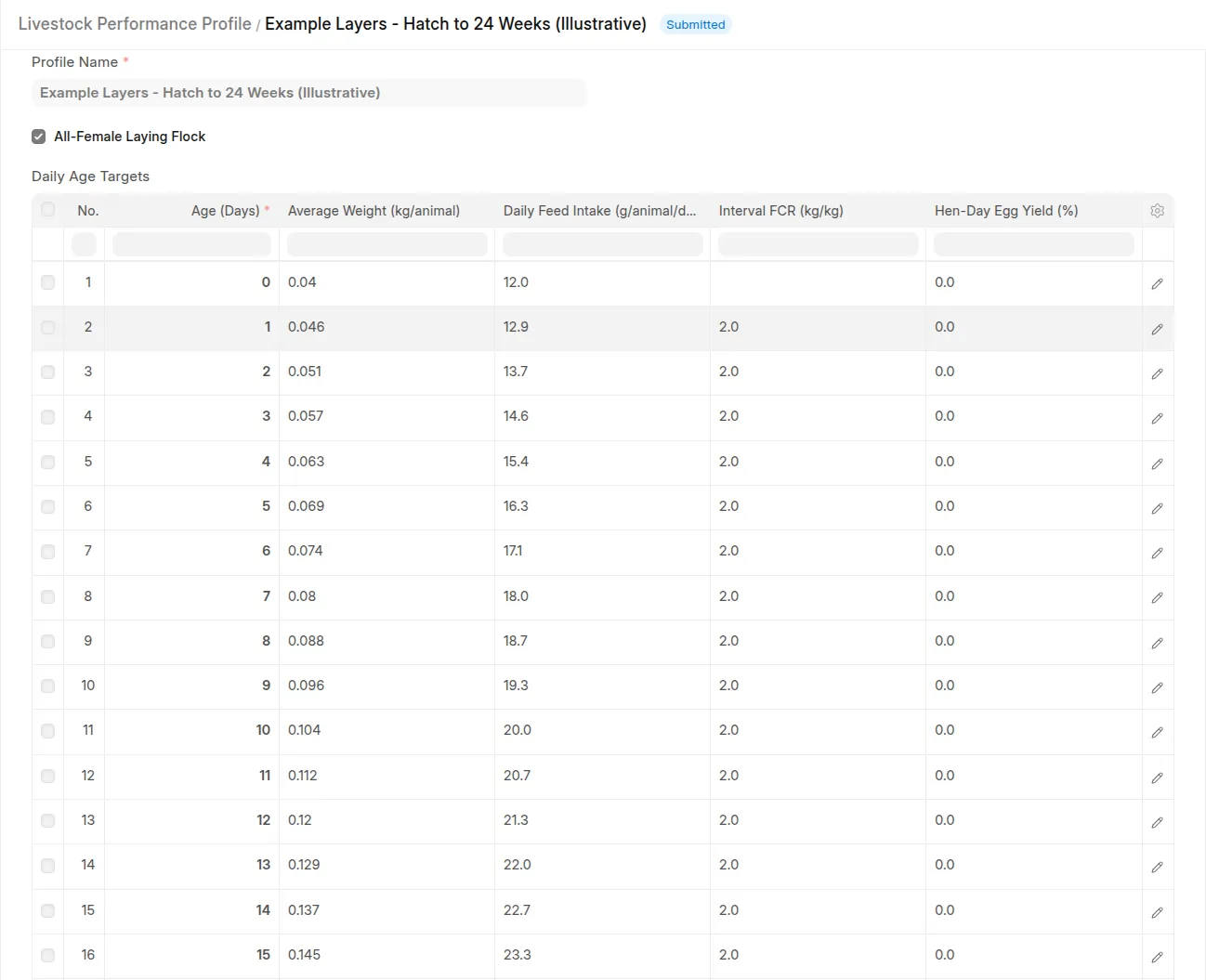
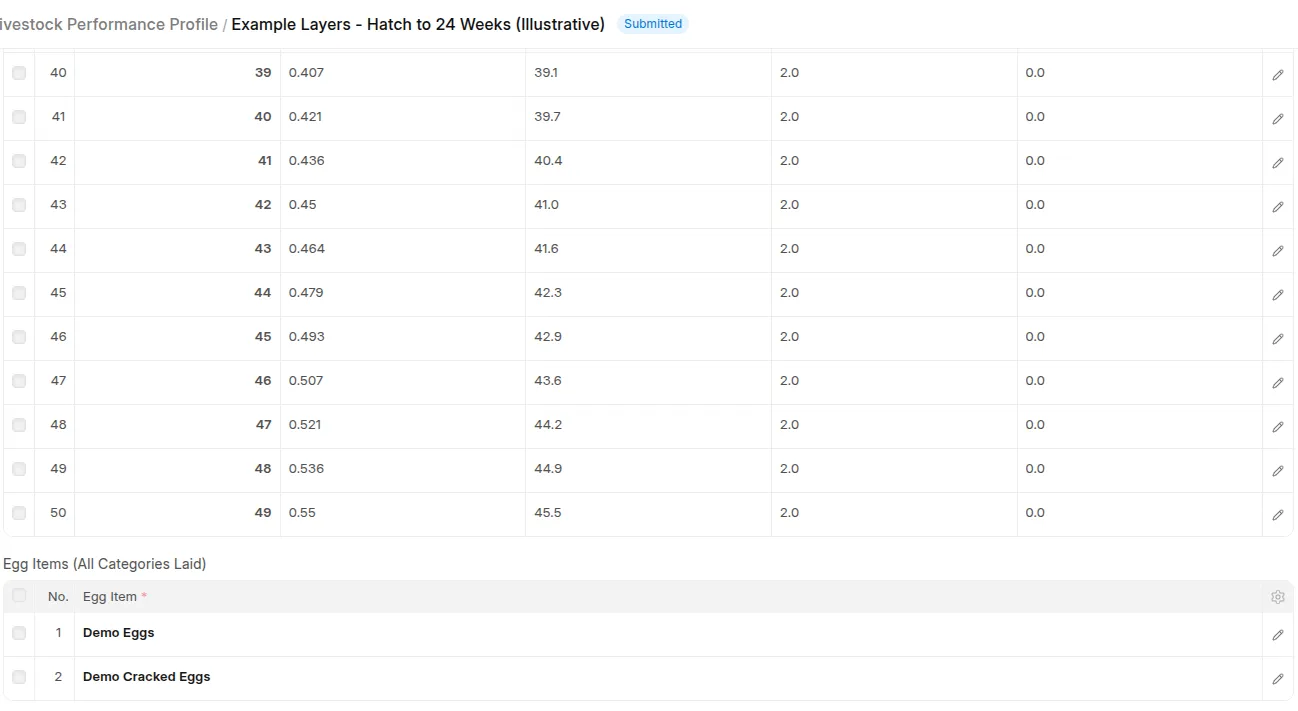 Submitted daily-age profile including age zero, optional targets, laying-flock setting, and egg Item categories.
Submit the profile. On each Batch, select its Performance Profile and enter the verified Hatch/Birth Date. Manufacturing date is not used as a fallback. Existing batches are not assigned automatically. Stock Users can read profiles; Stock Managers and System Managers can create, import, submit, cancel, and amend them. To revise targets, amend or create a new submitted profile and reassign the Batch. The current assignment determines historical comparisons; Batch version history records assignment changes.
 Batch with verified Hatch/Birth Date and assigned submitted performance profile.