









3.3 Items and Units
Create separate Items for your animals, feed, medicine, and produce. Choose units that match how you count, issue, and receive them.
Livestock
Create an enabled stock Item with batch tracking for flock workflows. Population, survival, and related-batch inference are designed for whole animals with stock UOM Nos or Unit. Individually identified animals may use serial tracking in supported standard-form workflows; Use standard forms for your serial-tracked animals; Daily Farm Entry supports batch-tracked, non-serialized flocks.
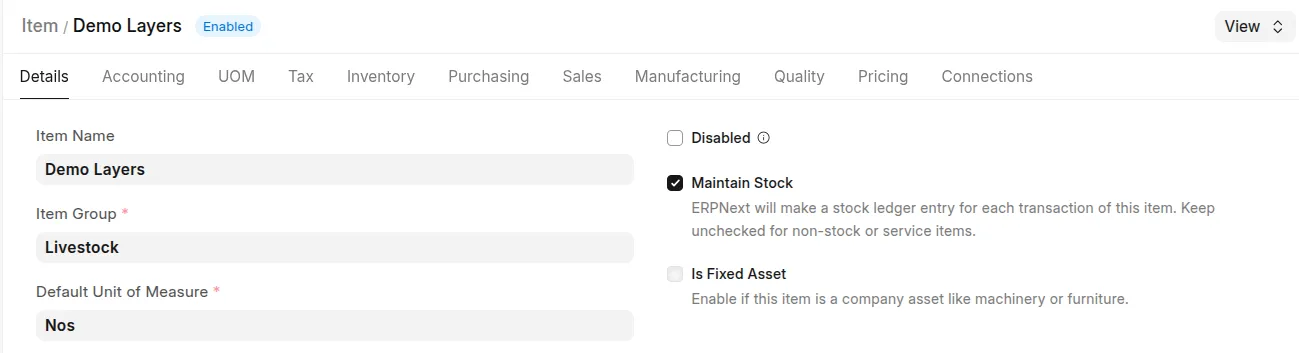 Example: livestock item screenshot showing item details including default UOM
 Example: item's Serial Nos/Batches section
Feed and medicine
Use separate stock Items for feed and medicines. For feed reporting, prefer stock UOM Kg or configure a valid Item conversion to Kg. A bag quantity must have a verified mass conversion; the app cannot infer a bag's weight from its name.
Daily Farm Entry accepts quantities in the selected Item's stock UOM. Use the standard Stock Entry form when entering an alternative transaction UOM. Reports read stock quantities, then convert mass once.
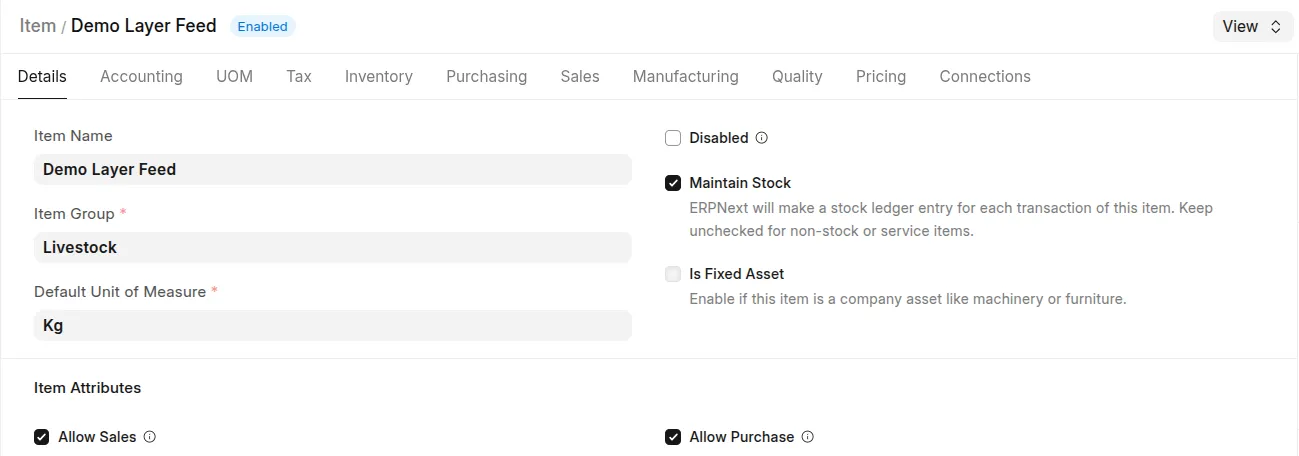 Example: feed item with UOM set as Kgs
Eggs and other produce
Use separate Items for produce categories. For hen-day yield, eligible egg Items must use count stock UOM Nos or Unit. Include cracked and damaged categories in the profile when they represent eggs laid. Configure tray/carton transaction conversions to count stock UOMs in ERPNext.
Keep feed, produce, and livestock as different Items. Configure inventory batches for feed or produce when those Items require batch tracking.