









4.2 Daily Farm Entry
Use Daily Farm Entry to record your feeding, mortality, weighing, produce, and observations from one screen. You can use it in a desktop or mobile browser while connected to your site. Each activity creates the operational document your team reviews and approves.
Before starting
Use an authorized account with an active Employee in the Company. The enabled livestock Item must be batch-tracked and non-serialized. The selected Batch must have positive available stock in the selected house at the activity time.
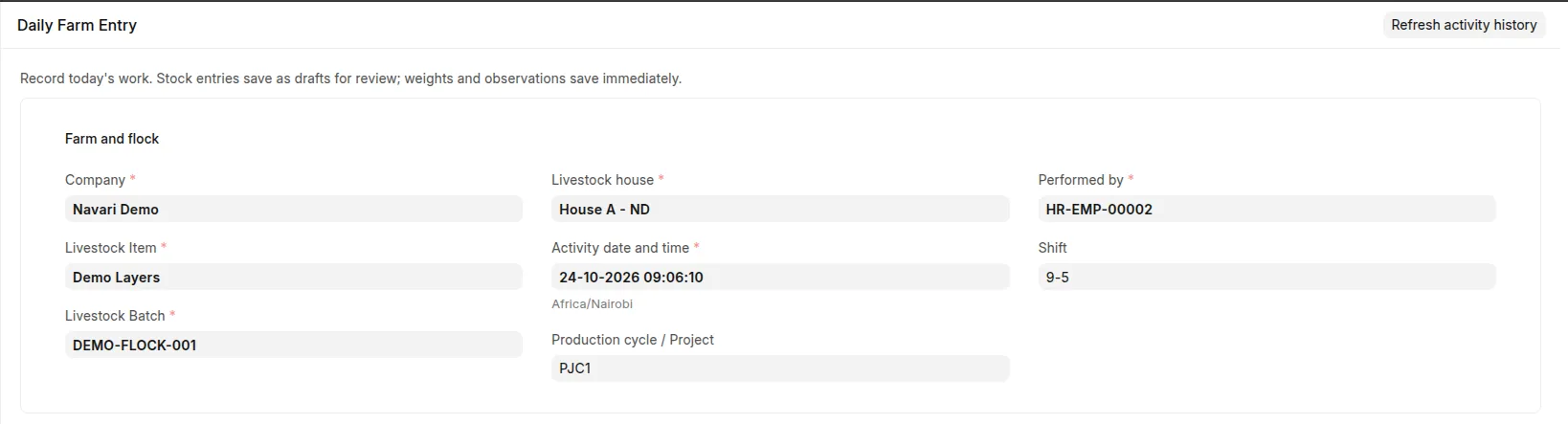 Daily Farm Entry context with Company, Batch, House, Employee, and timestamp selected.
Record an activity
- Open Daily Farm Entry from the Livestock workspace/sidebar or Desk search.
- Select Company, Livestock Item, Batch, House, activity date/time, and Employee. Add Project or Shift where needed.
- Choose Feeding, Mortality, Produce, Weighing, or Observation.
- Enter the activity details and save that activity.
- Open the resulting document to review its values and complete standard submission or workflow steps where applicable.
- Review recent activity before recording another event. Each save is independent; saving one activity does not save other unfinished forms.
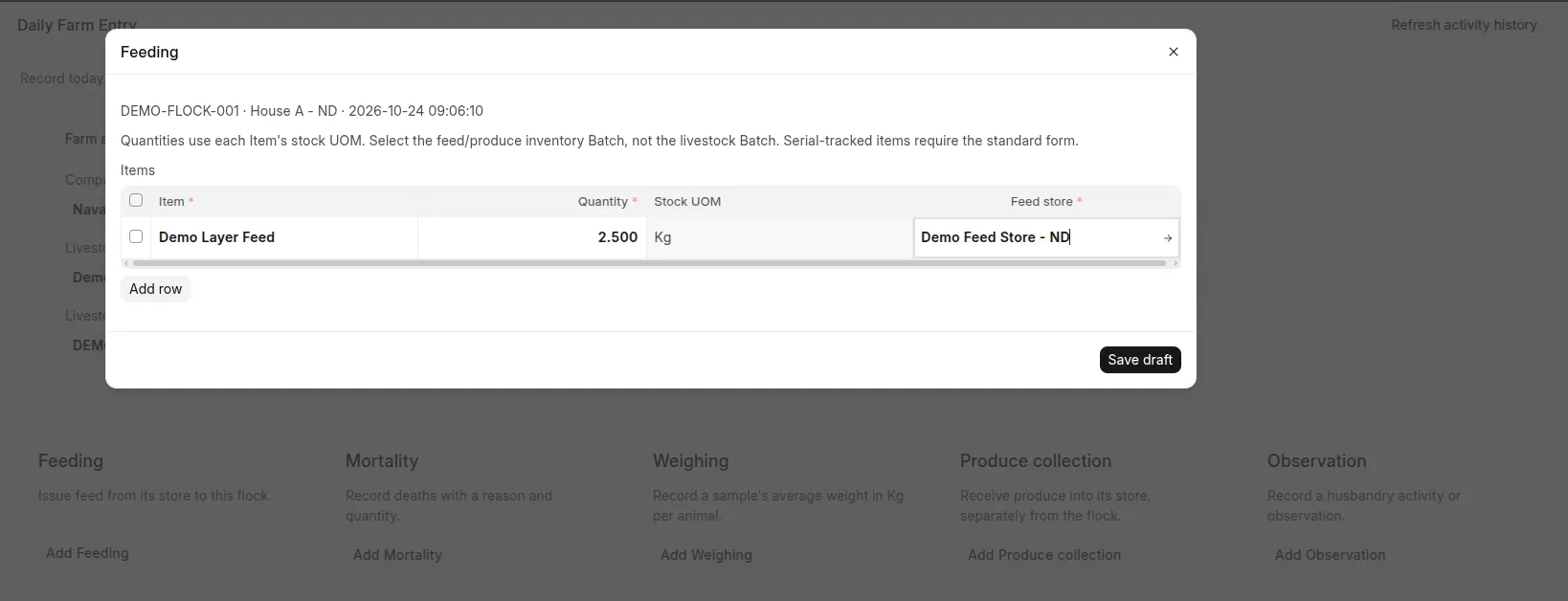 Feeding activity with stock-UOM quantity and source store.
| Activity | Result | Required follow-up |
|---|---|---|
| Feeding | Draft Feeding / Material Issue Stock Entry | Review and submit |
| Mortality | Draft Mortality / Material Issue Stock Entry | Review and submit |
| Produce | Draft Produce Collection / Material Receipt Stock Entry | Review valuation and submit |
| Weighing | Saved Weight Record with Kg UOM and explicit scope | Review measurement accuracy; no submission step |
| Observation | Saved Open Livestock Event | Review and mark Completed when the activity is finished |
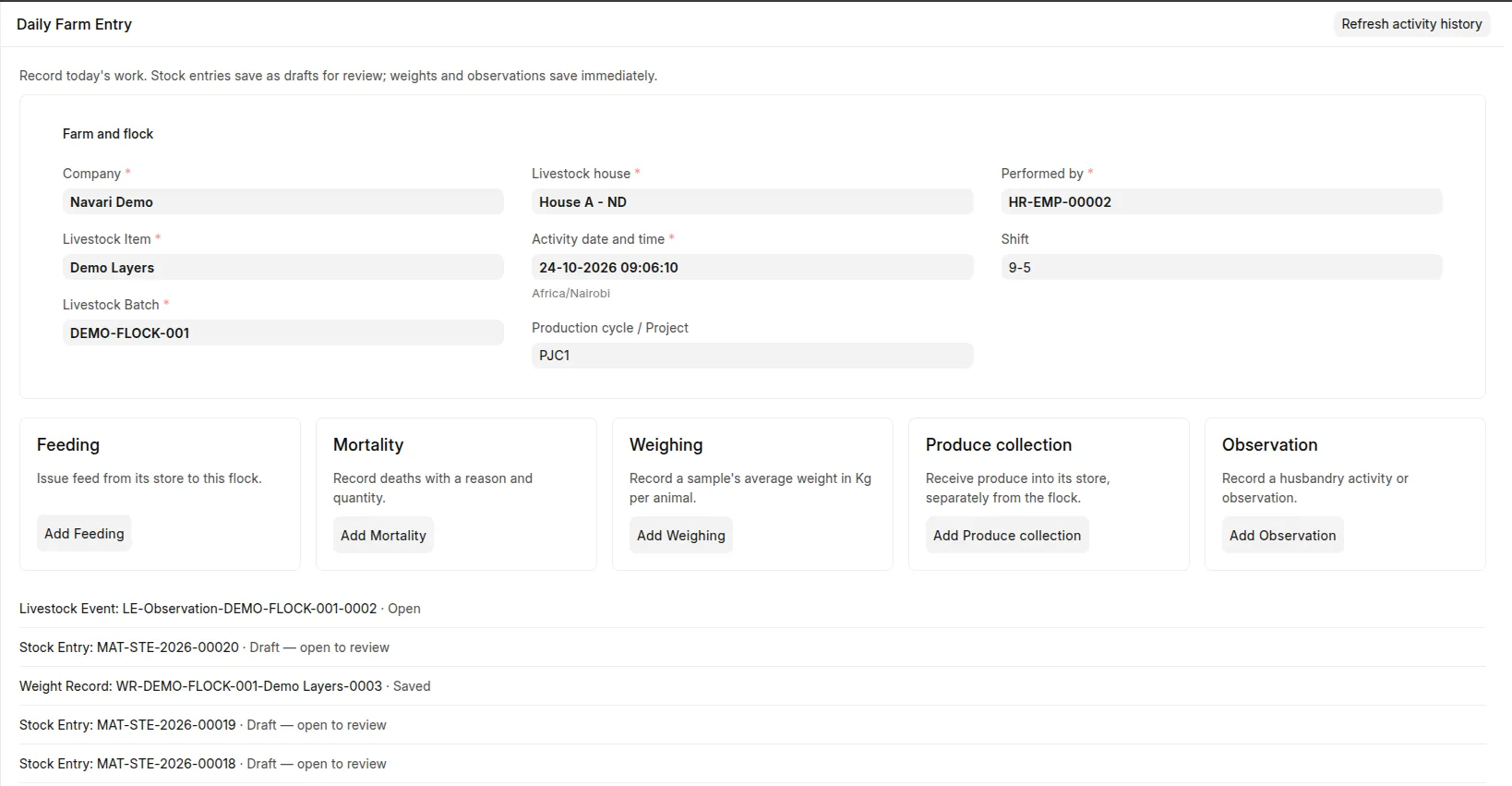 Saved result with link and status of the created operational document.
Limits
Activity time cannot be in the future or before a recorded Batch manufacturing date. Feed/produce quantities use stock UOM, and produce requires a positive rate. Mortality and weight sample sizes must be positive whole counts within available population. Structured Pregnancy Checks and serial-tracked operations belong in standard forms.