









3.2 Warehouse and Livestock Houses
Set up each of your livestock houses as an ERPNext Warehouse so you can track animals and activities by their physical location.
- Open Warehouse and create an appropriate hierarchy under your Company.
- Create each physical livestock house as an enabled non-group Warehouse.
- Create separate feed, medicine, and produce stores as needed.
- Receive livestock into the actual house and supplies into their stores.
- Grant operators access to both the house and any source/destination stores required for their work.
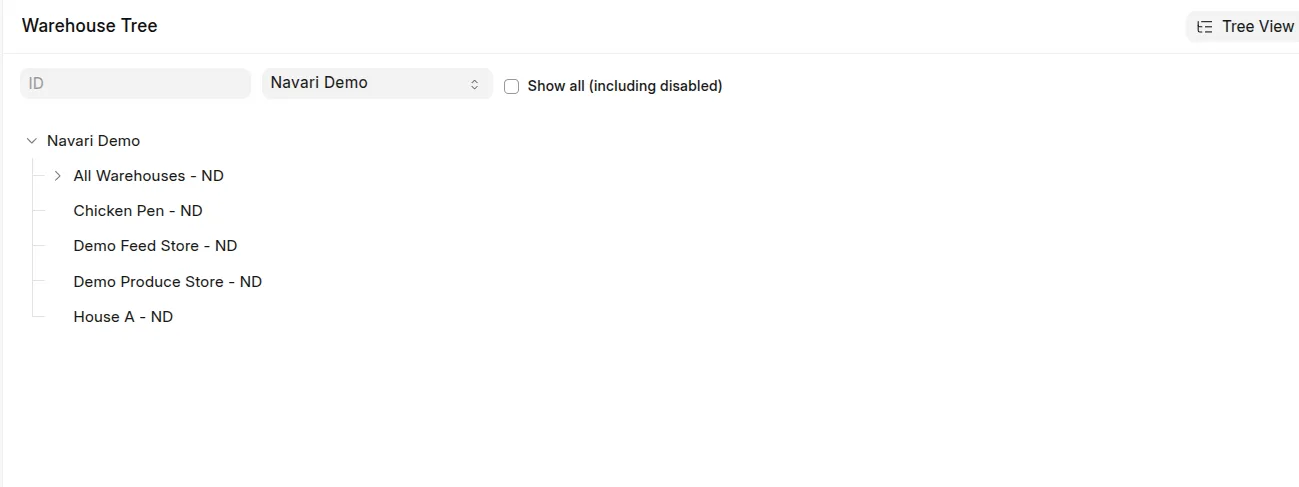 Example: Warehouse tree showing livestock houses
In Daily Farm Entry, House identifies where the animals were located. A feeding row's source warehouse identifies where the feed came from. Selecting the feed store as the House misstates the animal location and can prevent population checks.
Use a submitted Material Transfer when animals change houses. Do not edit Batch Location to replace a physical stock transfer. Reports use historical movements and explicit activity locations, not just the Batch's current location.
Last updated 3 weeks ago
Was this helpful?